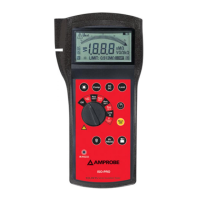
The symbols used are described in Tab. 4.
For eventual messages displayed see appendix 1 – MESSAGES DISPLAYED.
Following keys are active:
F2: to start / stop immediately a direct energy measurement. The energy
counters will start increasing proportionally to the active power
absorbed by the load.
The results obtained cannot be memorised.
If the active power is negative the counters will not increase.
F1: (only for 4-wire measurement) to display the following screen. On the
basis of the settings made as per paragraph 7.1 following screens are
displayed cyclically:
total three-phase values, values of phase 1, phase 2 and phase 3
F3/F4: to pass to previous/next function respectively
SAVE: to save in the instrument memory a record of “Smp” type containing
the instantaneous values of voltage and current present at the
instrument inputs. This function is disabled during a recording
ENTER/HOLD: to enable/disable the HOLD function (updating interruption) of
displayed data. All previous functions remain however available.
When the HOLD function is activated, the word HOLD is displayed.
When this function is enabled it’s not possible to record nor perform
energy measurements. This function is disabled during a recording or
an energy measurement
MENU: to enter the MENU mode and change the instrument settings (see
paragraph 7.1 and 7.2). It’s not possible to enter the configuration
MENU during a recording or an energy measurement
START/STOP: to record selected parameters according to the instrument’s settings


 To Next Page