EasyManua.ls Logo

Anadex DP-9000 - Page 67

Default Icon
82 pages
Print Icon
To Next Page IconTo Next Page
To Previous Page IconTo Previous Page
Loading...
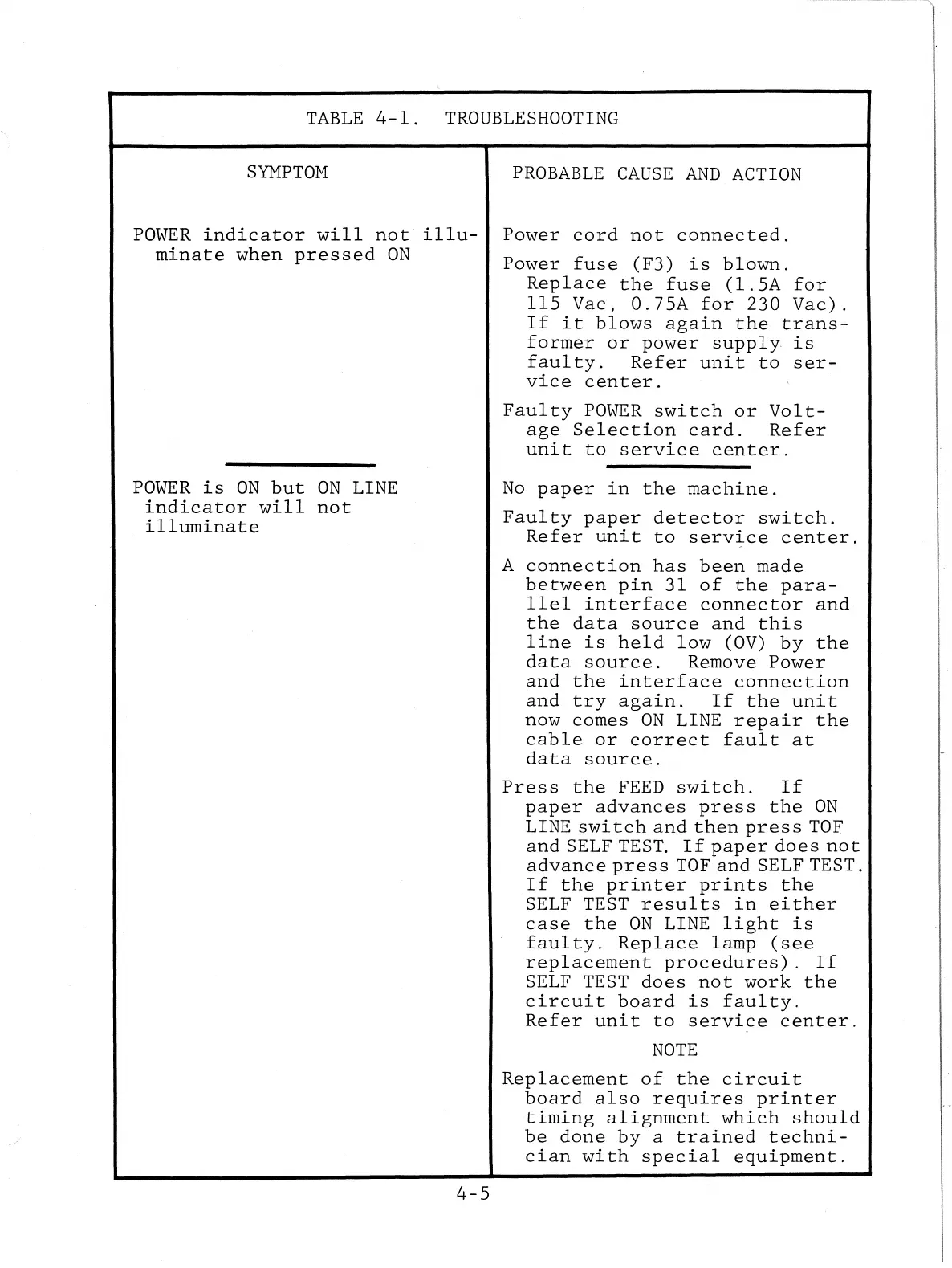
TABLE
4-1.
TROUBLESHOOTING
STI1PTOM
PROBABLE
CAUSE
AND
ACTION
POWER
indicator
will
not
illu-
minate
when
pressed
ON
POWER
is
ON
but
ON
LINE
indicator
will
not
illuminate
4-5
Power
cord
not
connected.
Power
fuse
(F3)
is
blown.
Replace
the
fuse
(1.5A
for
115
Vac,
0.75A
for
230
Vac).
If
it
blows
again
the
trans-
former
or
power
supply
is
faulty.
Refer
unit
to
ser-
vice
center.
Faulty
POWER
switch
or
Volt-
age
Selection
card.
Refer
unit
to
service
center.
No
paper
in
the
machine.
Faulty
paper
detector
switch.
Refer
unit
to
service
center.
A
connection
has
been
made
between
pin
31
of
the
para-
llel
interface
connector
and
the
data
source
and
this
line
is
held
low
(OV)
by
the
data
source.
Remove
Power
and
the
interface
connection
and
try
again.
If
the
unit
now
comes
ON
LINE
repair
the
cable
or
correct
fault
at
data
source.
Press
the
FEED
switch.
If
paper
advances
press
the
ON
LINE
switch
and
then
press
TOF
and
SELF TEST.
If
paper
does
not
advance
pres
s TOF
and
SELF TEST.
If
the
printer
prints
the
SELF TEST
results
in
either
case
the
ON
LINE
light
is
faulty.
Replace
lamp
(see
replacement
procedures).
If
SELF TEST
does
not
work
the
circuit
board
is
faulty.
Refer
unit
to
service
center.
NOTE
Replacement
of
the
circuit
board
also
requires
printer
timing
alignment
which
should
be
done
by
a
trained
techni-
cian
with
special
equipment.