44
(6) Measuring the density
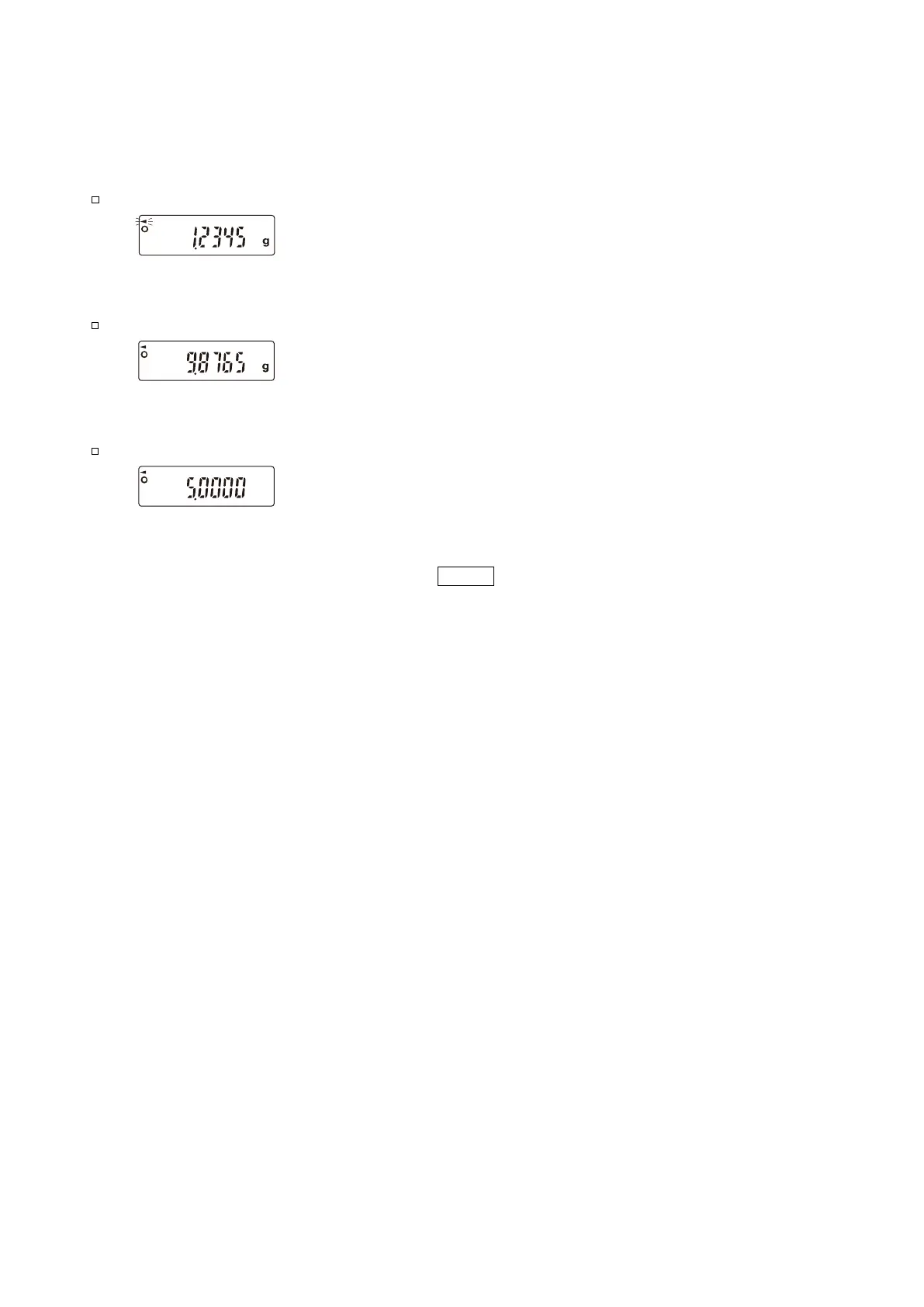
In the density measurement, the balance displays the weight of the sample in air, the weight in liquid
and then the density.
Measuring the weight of the sample in air.
The processing indicator flashes with the unit “g” displayed.
Measuring the weight of the sample in liquid.
The processing indicator illuminates with the unit “g” displayed.
Displaying the density.
The processing indicator illuminates with no unit displayed.
To siwtch between the above three, use the RANGE key.


 To Next Page