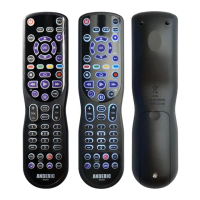
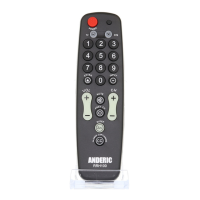
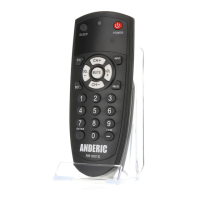
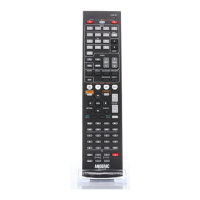
LEARNING SETUP
How to Set Learning
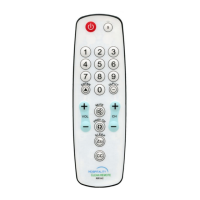
1. Press and hold the device button (TV or DVD or AUDIO) for 5 seconds; the indicator light shall
remain on; then release the button.
2. Press and release the [LEARN] button; the indicator light blinks and enter the learning mode.
3. Point the top of your original remote toward the top of your new remote (head to head) at a
distance of 1-inch apart.
4. Press and hold the original remote's button (for instance, [POWER]) until the indicator light on your
new remote keeps blinking to show the successful receiving the code; then press and release the
relative button (for instance, [POWER]) on your new remote; the LED indicator returns to remain
on and awaits the next learning.
5. Press and release the [LEARN] button when all desired remote commands are learned. Code
learning is now complete. LED indicator turns off.
• Clearing Some Learned Commands for some buttons
1. Press and hold the device button (TV or DVD or AUDIO) for 5 seconds; the indicator light shall
remain on; then release the button.
2. Enter the special code 9919; the indicator light blinks once and enter into the clearing some
buttons learned codes state. Press and release the button that needs clearing. The indicator blinks
once to show the successful clearing.
3. Press and release [LEARN] to quit, and the LED indicator turns off.
• Clearing ALL Learned commands for all buttons
1. Press and hold the device button (TV or DVD or AUDIO) for 5 seconds; the indicator light shall
remain on; then release the button.
2. Enter the special code 9909; the indicator light blinks and then turns off. All learned commands
under that mode are now cleared.
VOLUME/MUTE PUNCH-THROUGH FEATURE
!"#$%&'(
!"#$%&'%()%*++,-)&#.$&!)!&*-/&*+!,-&+(/$0&*-/&(-$&("&#.(0$&+(/$0&*%$&0$1$2#$/3&,"&#.$,%&)-.(*-/&
/+01(45##(-0(.*6$&-(&'%$7/$",-$/&2( /$0&#(&#%*-0+,#3&)-.( *-/&/+01(+*8&#%*-0+,#&#.$&2(/$0&("&)-.(
*-/&/+01(("&9:&+(/$;&779.,0&,0&:<=>?5#$&@(-#%(1&*-/&A5-2.79.%(5).&B$*#5%$;&
• Setting VOL/Mute controls to work chosen Mode
1. Press and hold the device button (such as DVD or AUDIO) for 5 seconds; the indicator light shall
remain on; then release the button.
2. Press and hold MUTE until the indicator blinks, then release the button.
3. Press and release the chosen device button (such as TV) for VOL/Mute control; the indicator blinks,


 To Next Page