then stays on.
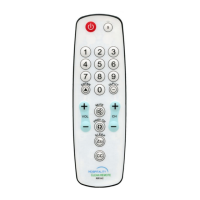
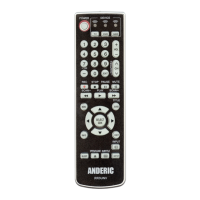
4. Press and release MUTE; the indicator turns off. And the setting is saved.
Note: The indicator will blink rapidly 5 times if the mode you have selected does not have VOL/
Mute control. The setting fails and it exits.
5. The mode (DVD or AUDIO) will now “punch-through” to your chosen mode (TV) for VOL/Mute
control.
• Removing VOL/Mute Control and Punch-Through feature
If already programmed to use VOL/Mute punch-Though, this will remove it and use the original codes for
VOL/Mute.
1. Press and hold the device button that you want to stop the VOL/Mute punch-through (such as DVD or
AUDIO) for 5 seconds; the indicator light shall remain on; then release the button.
2. Press and hold MUTE until the indicator blinks, then release the button.
3. Press and release the device button (such as TV) of which you have set to send the VOL/Mute control
codes before; the indicator blinks, then stays on.
4. Press and release VOL- (or ▼); the indicator blinks, then stays on.
5. Press and release MUTE; the indicator turns off. And the new setting to remove VOL/Mute control is
saved.
CODE IDENTIFICATION
1. Press and hold the device button (TV or DVD or AUDIO) for 5 seconds; the indicator light shall
remain on; then release the button.
2. Press and release [INPUT]. The indicator blinks.
3. To find the first digit for the code stored under the mode selected, press each number button
(0-9). When the indicator blinks off, the number you pressed is the first code digit you are
searching for.
4. To find the second digit, repeat Step 3. When the indicator blinks off, this is the second digit.
5. Repeat Step 3 to find the third and fourth code digits.
6. Then the indicator turns off to finish the code identification.
NOTE: During the code identification if pressing any device button the indicator flashes 8 times
quickly and the remote exits code identification mode.
SETTING THE SLEEP TIMER:
NOTE: The SLEEP button operates the Sleep function of your TV providing it supports the Sleep
function. Alternatively, you can enable the remote to turn off your TV after a period of 1 to 99,
Instructions provided in this section. This feature works even if your TV does not have its own Sleep
function.
• First make sure you have your remote programmed to your TV using the instructions under
CODE SETUP.


 To Next Page