English - 57 -
You must select a search type to search and store
broadcasts from the desired source.
Aerial Installation
If you select AERIAL option from the Search Type
screen, the television will search for digital terrestrial
TV broadcasts.
NOTE: You can press MENU button to cancel.
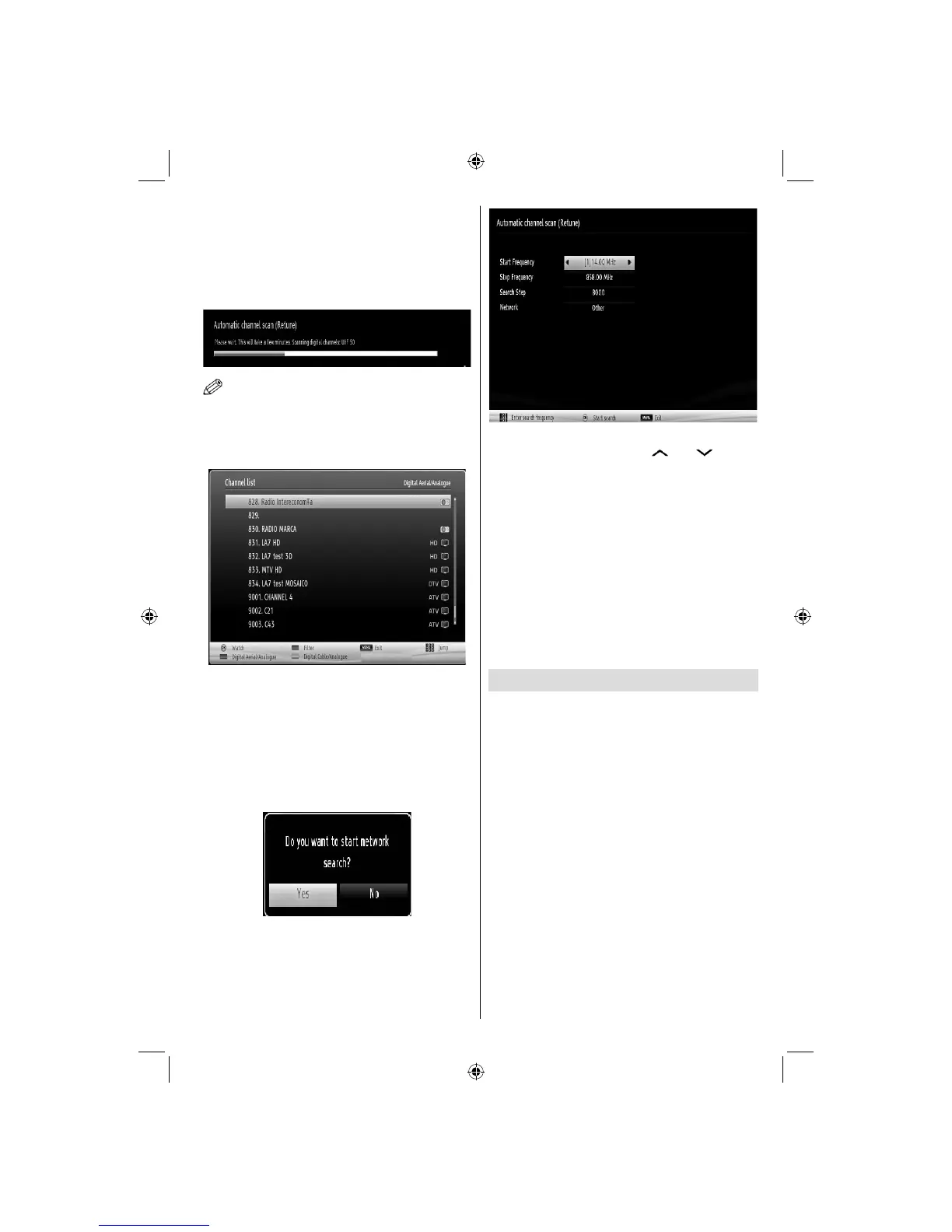
After all the available stations are stored, Channel
List will be displayed on the screen. If you like the
sort channels, according to the LCN(*), please select
“Yes” and than press OK.
Press OK button to quit channel list and watch TV.
(*) LCN is the Logical Channel Number system that
organizes available broadcasts in accordance with a
recognizable channel sequence.
Cable Installation
If you select CABLE option and press OK button on
the remote control to continue, the following message
will be displayed on the screen:
To continue please select YES and press OK. To
cancel operation, select NO and press OK.
You can select frequency ranges from this screen. For
highlighting lines you see, use “ ” or “ ” button.
You can enter the frequency range manually by using
the numeric buttons on the remote control.
Set Start and Stop Frequency as desired by using
numeric buttons on the remote control.
After this operation, you can set Search Step as 8000
KHz or 1000 KHz.
If you select 1000 KHz, the TV will perform search
process in a detailed way. Searching duration will
thus increase accordingly. When fi nished, press OK
button to start automatic search. The TV will search
and store available broadcasts.
(*) Network option will not be available for UK.
Media Playback via USB Input
You can connect a USB hard disk drive or USB
memory stick to your TV by using the USB inputs of
the TV. This feature allows you to play fi les stored in a
USB drive. 2.5” and 3.5” inch (hdd with external power
supply) external hard disk drives are supported.
IMPORTANT! You should back up your fi les before
making any connections to the TV set in order to
avoid any possible data loss. Manufacturer will not
be responsible for any fi le damage or data loss. It is
possible that certain types of USB devices (e.g. MP3
Players) or USB hard disk drives/memory sticks may
not be compatible with this TV. The TV supports FAT32
and NTFS disk formatting but recording will not be
available with NTFS formatted disks. Note: While
formatting a USB hard disk that has 1TB (Tera Byte)
or more fi le capacity, you can experience problems
with the formatting process.
Quickly plugging and unplugging USB devices, is a
very hazardous operation. Do not repeatedly quickly
plug and unplug the drive. This may cause physical
damage to the USB player and USB device itself. Do
not pull out USB module while playing a fi le.
A03_[GB]_MB90_4836UK_DVBT_C_PVR_MMH_DLNA_100HZ_BASIC IB_55985LED_GOLD18_10079836_50229710.indd 57A03_[GB]_MB90_4836UK_DVBT_C_PVR_MMH_DLNA_100HZ_BASIC IB_55985LED_GOLD18_10079836_50229710.indd 57 24.08.2012 15:38:4524.08.2012 15:38:45



 To Next Page