English - 69 -
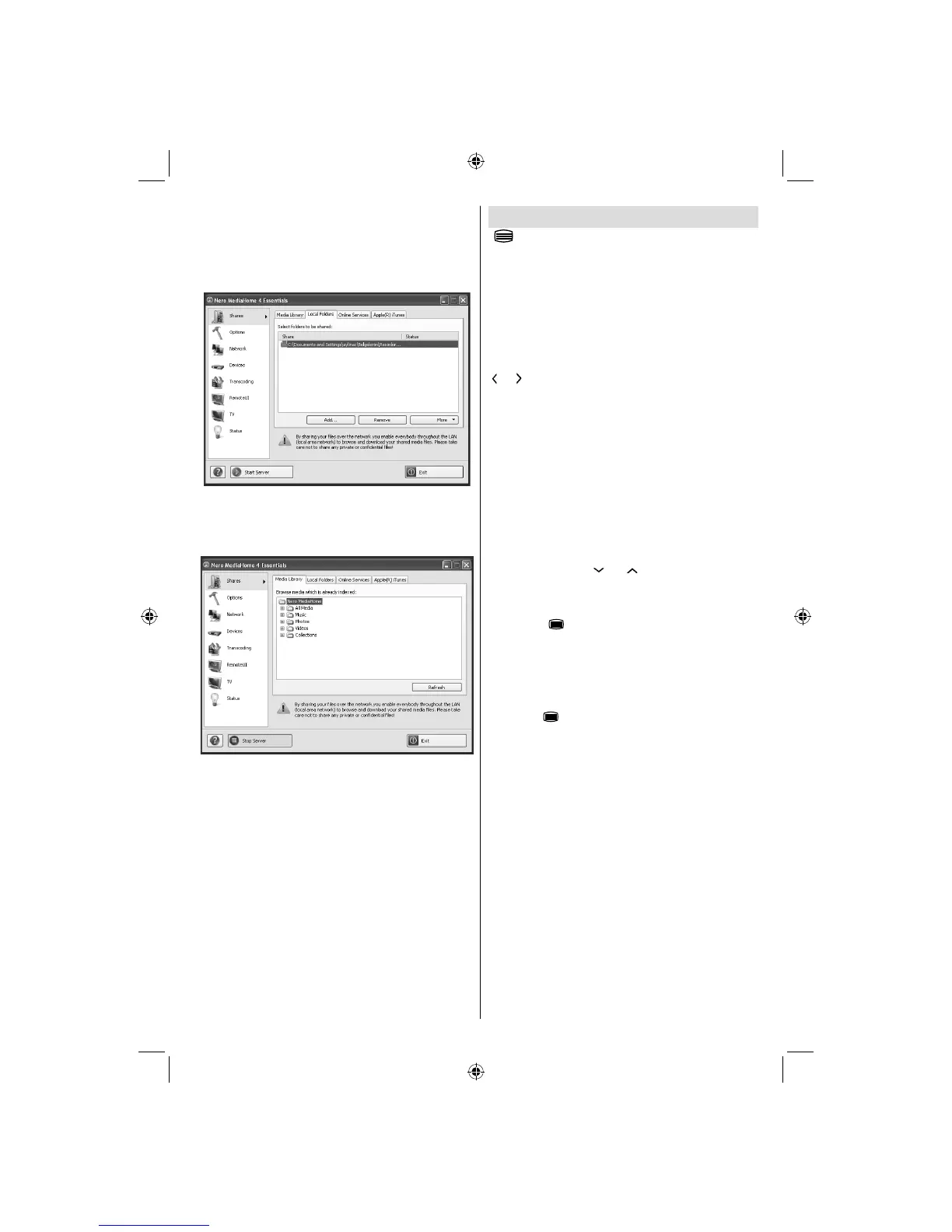
Run Nero MediaHome by pressing shortcut icon.14.
Click ADD icon from LOCAL FOLDERS to add the •
folder you want to share with the network. Select
the folder that you want to share and click START
SERVER.
You can display all media types from the library. 15.
Click Refresh icon to refresh. Click STOP
SERVER icon to stop server.
Teletext
“ ” Teletext / Mix: Activates teletext mode when
pressed once. Press again to place the teletext screen
over the programme (mix). Pressing again will quit
the teletext mode.
“BACK” Index: Selects the teletext index page.
“I” Reveal: Shows hidden information (e.g. solutions
of games).
“OK” Hold: Holds a text page when convenient. Press
again to resume.
“
”/ “ ” Subcode Pages: Selects subcode pages if
available when the teletext is activated.
P+ / P- and numbers (0-9): Press to select a page.
Note: Most TV stations use code 100 for their index pages.
Your TV supports both FASTEXT and TOP text
systems. When these systems are available, the
pages are divided into groups or topics. When
FASTEXT system is available, sections in a teletext
page will become colour-coded and can be selected
by pressing the coloured buttons. Press a coloured
button that corresponds to with your needs. The
coloured writings will appear, showing you which
coloured buttons to use when TOP text transmission
is present. Pressing “ ” or “ ” commands will request
the next or previous page respec tively.
Digital Teletext (for UK only)
• Press the “ ” button. The digital teletext information
appears. Operate it with the coloured buttons, cursor
buttons and OK button.
The operation method may differ depending on the
contents of the digital teletext. Follow the instructions
displayed on digital teletext screen.
When the “
” button is pressed again, the TV returns
to television broadcasting.
A03_[GB]_MB90_4836UK_DVBT_C_PVR_MMH_DLNA_100HZ_BASIC IB_55985LED_GOLD18_10079836_50229710.indd 69A03_[GB]_MB90_4836UK_DVBT_C_PVR_MMH_DLNA_100HZ_BASIC IB_55985LED_GOLD18_10079836_50229710.indd 69 24.08.2012 15:38:5024.08.2012 15:38:50



 To Next Page