English - 68 -
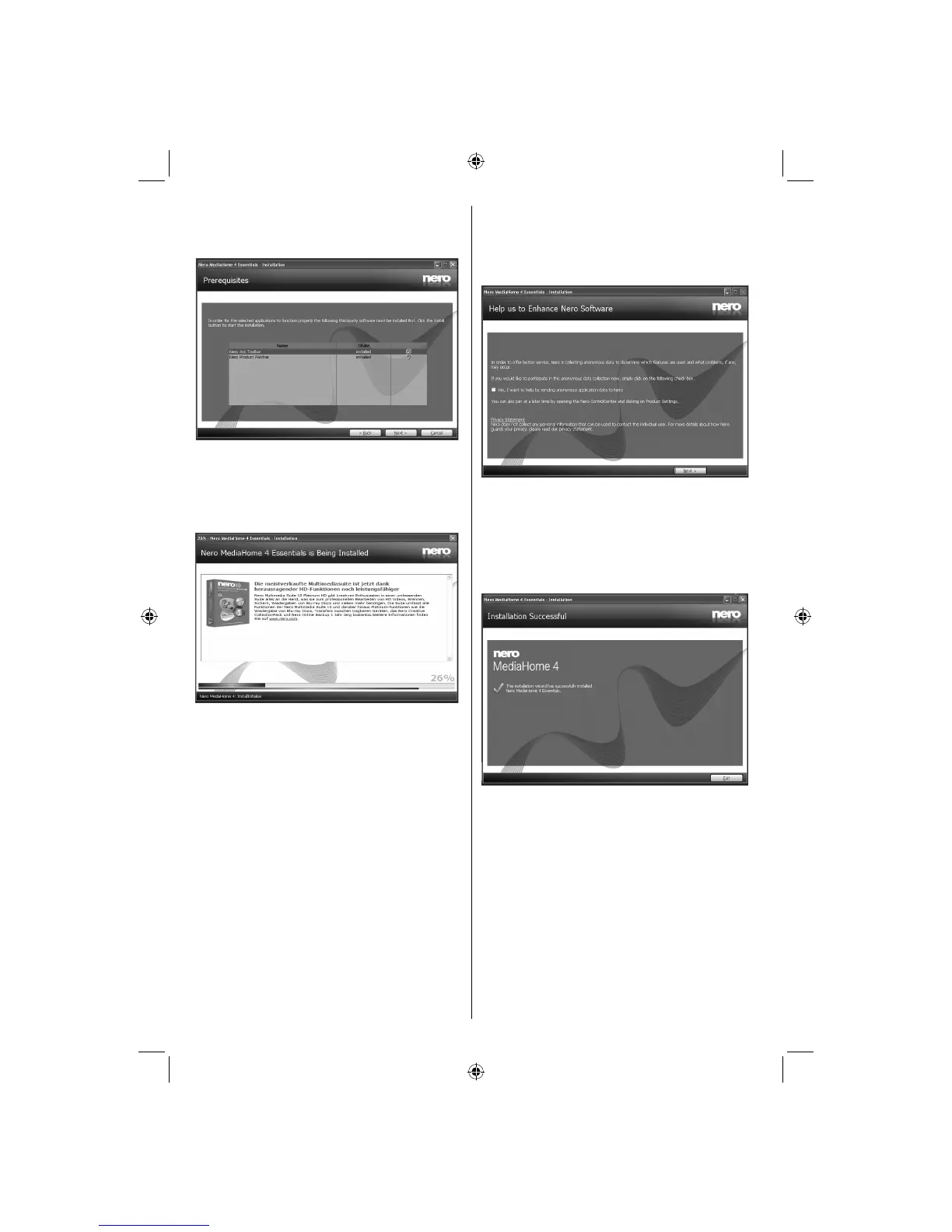
Click the Install button.8.
As soon as all prerequisites are installed, the Install •
button will change to a Next button.
Click the Next button.9.
The Ready to Start Installation Process screen •
is displayed, installation begins and finishes
automatically. A progress bar informs you of the
progress of the installation process.
Installation fi nishes.10.
The Help us to Enhance Nero Software screen is
displayed. In order to offer a better service, Nero
is collecting anonymous data to determine which
features are used and what problems, if any, occur.
If you would like to help by participating in the 11.
anonymous collection of usage data, select the
check box and click the Next button.
The final screen of the installation wizard is •
displayed.
Click the Exit button.12.
A shortcut called Nero MediaHome 4 is now 13.
placed on your desktop
Congratulations! You successfully installed Nero
MediaHome 4 on your PC.
A03_[GB]_MB90_4836UK_DVBT_C_PVR_MMH_DLNA_100HZ_BASIC IB_55985LED_GOLD18_10079836_50229710.indd 68A03_[GB]_MB90_4836UK_DVBT_C_PVR_MMH_DLNA_100HZ_BASIC IB_55985LED_GOLD18_10079836_50229710.indd 68 24.08.2012 15:38:5024.08.2012 15:38:50



 To Next Page