English - 67 -
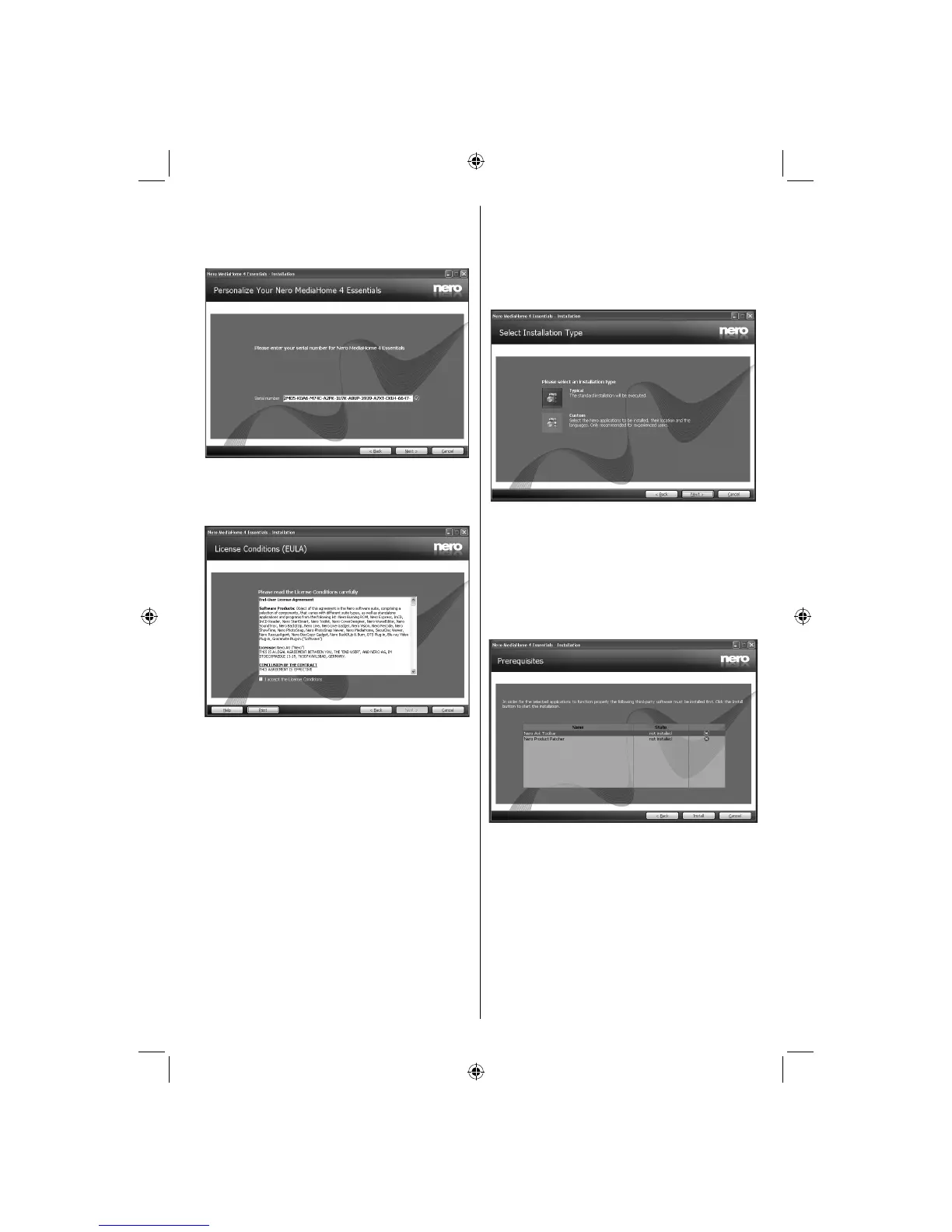
Click the Next button.3.
The integrated serial is displayed. •
Please do not change displayed serial. •
Click the Next button. 4.
The License Conditions (EULA) screen is •
displayed.
Please read the license agreement carefully 5.
and select the appropriate check box if you
agree to the terms of the agreement. Installation
is not possible without this agreement.
Click the Next button.6.
The Select Installation Type screen is displayed.•
It is possible to choose between Typical, meaning
standard installation, or Custom installation. User
defi ned installation allows you to determine languages
to be installed and to choose the installation path.
Use Typical installation and click the Next 7.
button.
The Prerequisites screen is displayed.•
The Nero MediaHome installation wizard checks the
availability of required third-party software on your PC.
If applications are missing they are listed and must be
installed before continuing installation.
A03_[GB]_MB90_4836UK_DVBT_C_PVR_MMH_DLNA_100HZ_BASIC IB_55985LED_GOLD18_10079836_50229710.indd 67A03_[GB]_MB90_4836UK_DVBT_C_PVR_MMH_DLNA_100HZ_BASIC IB_55985LED_GOLD18_10079836_50229710.indd 67 24.08.2012 15:38:4924.08.2012 15:38:49



 To Next Page