image.
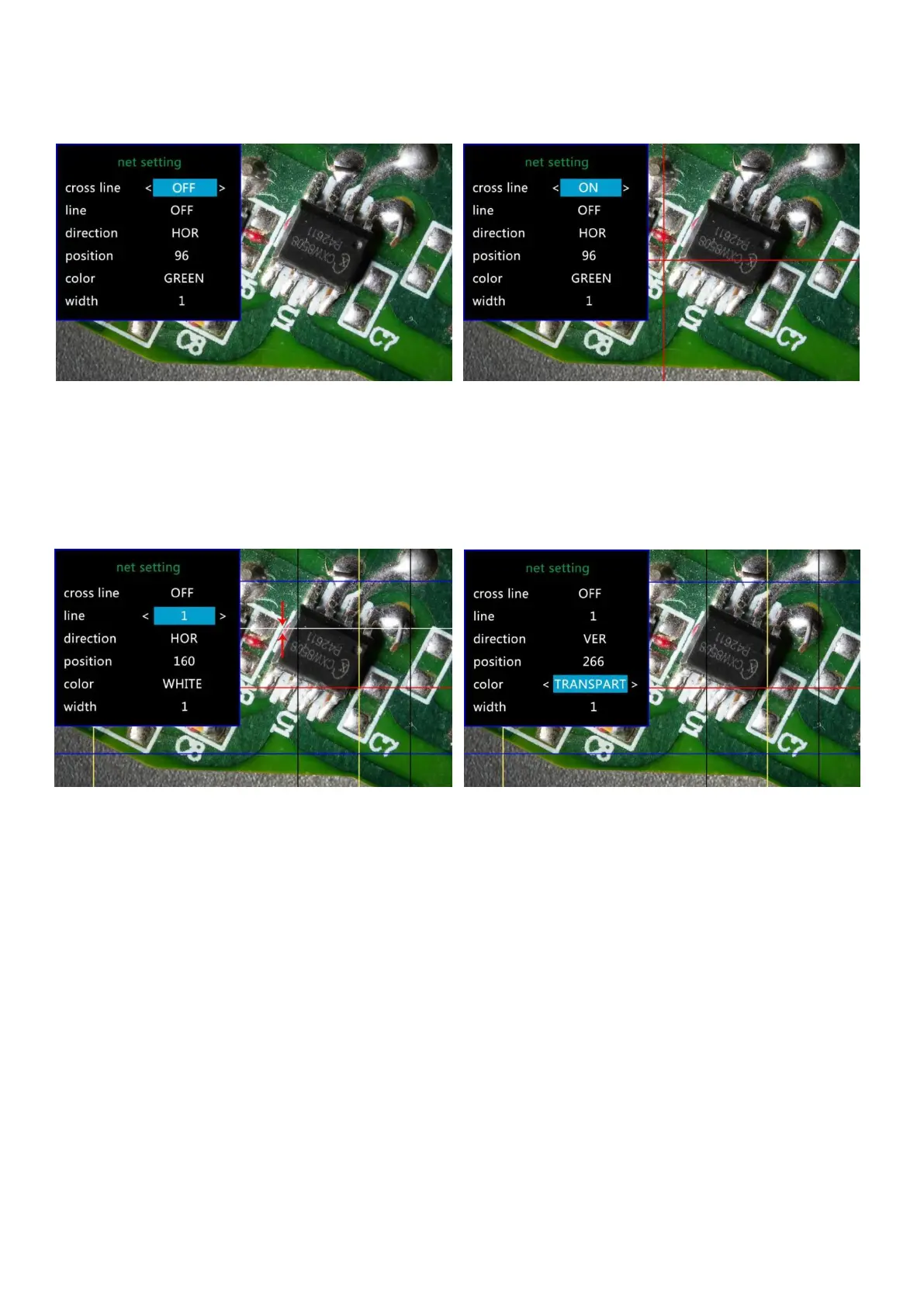
(Pic 11 Gridline Setting menu) (Pic 12 Cross line on)
When you turn on the function“Line”, there will be 8 lines showing up automatically(named as 1 to 8).
For each one, you could change its direction (“HOR”or“VER”, stand for “horizontal” and “vertical”),
position, color and width.
To delete unnecessary line from the view, change its color to “TRANSPARENT”see the following pic.
(Pic 13 Delete line 1, before & after)
Date/Time Setting
Select “Date/Time” in setting menu, press OK button to get in time setting. Use “up”and “down”
button to select correct number, OK to confirm and jump to the next one. After it’s all done, press M to
back to setting menu.
Save Setting
In order to let the microscope memorize the setting changes, please turn off the microscope by
PRESSING THE POWER BUTTON ON THE MONITOR (press and hold until it switch off).
Setting changes won’t be saved if you switch off the device in other ways.



 To Next Page