25 26
Bluetooth music playing
Bluetooth music playing, please refer to the Bluetooth music playing
instruction.
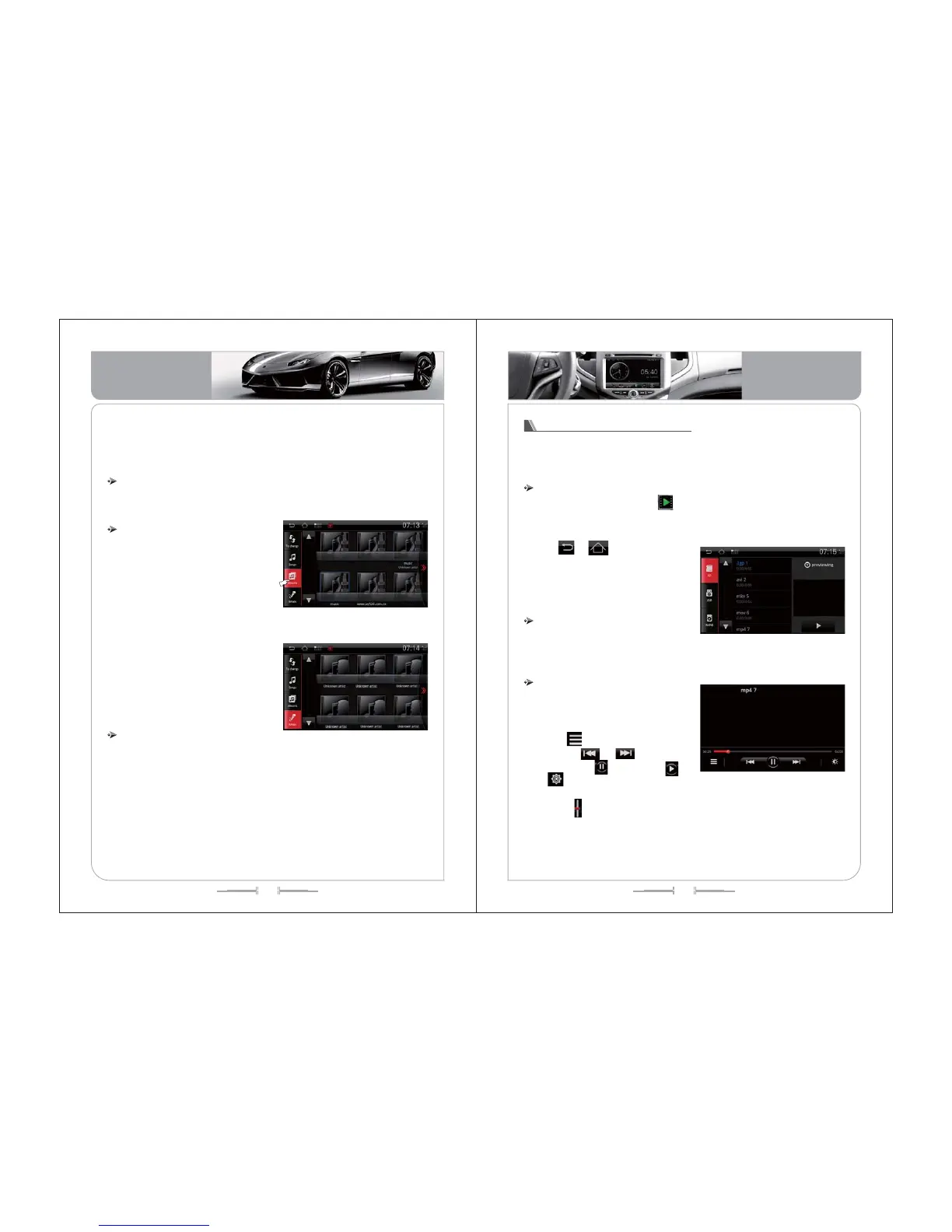
1) Touch icon of “Album” to enter album
list, see Pic-35 . Music list appears. The
cover of album appears in thumbnail
format; together you can see the album
and the artist name.
2) Touch the “Album” to activate the
songs list. If you want to enter the playing
song, just touch the “song list” or “album
cover”, all the songs will be started
playing.
3) Remark: if the album does not include
the photo, then default picture appear as
“album photo”.
()
Album list
4) Current music file selection will be memorized by car kit. When entering
the Music function next time, the car kit will turn to exact menu automatically. If
SD card or USB device is removed, it will turn to the Music file for your
selection.
、
( -35)picture
1)Touch “Artist” icon to enter the artist menu, see(Pic-36). Artist cover and artist
name appear.
2)Touch Artiest cover to activate the song list. Touch the list or the Artist cover to
enter the playing menu. All the songs will be started playing.
3)Remark: if the music file does not include the photo, then default picture
appear as “Artist photo”.
Artist list
I Do
kissing you
Hero
( -36)picture
Video playing function
Video of SD card / USB / hard disc , etc can be played by this car kit.
1) Support format: AV1/WMV/MP/3GP/ OGG.
2) Those are not supported, there is warning of “ Not Supported format”
3) All the videos must be stocked under the folder of “ Video”
Entry / Exit
On the mani interface, touch to enter video playing menu. See (Pic-
37):
( -37)picture
Touch or or “Home” or “BACK”
to exit the video playing menu, meanwhile
the playing is continue at the background.
When you touch another function icon,
current playing stops.
1) 3 options for video file SD card, USB,
hard disc.
,
1) When you select a video, silent
reading starts by 5 times speed at the
right side frame, see Pic-38:
2) Touch to return to the playing list
menu. Touch or as right & left
selection, touch to pause, to
play, to adjust the video brightness,
see Pic-41.
3) Slide to adjust the brightness,
contrast, color, or select “standard”,
“soft”, or “bright”.
Video file selection
Video playing
( -38)picture
Basic Operation
Basic Operation


 To Next Page