59 60
Enter/Exit
Enter/Exit
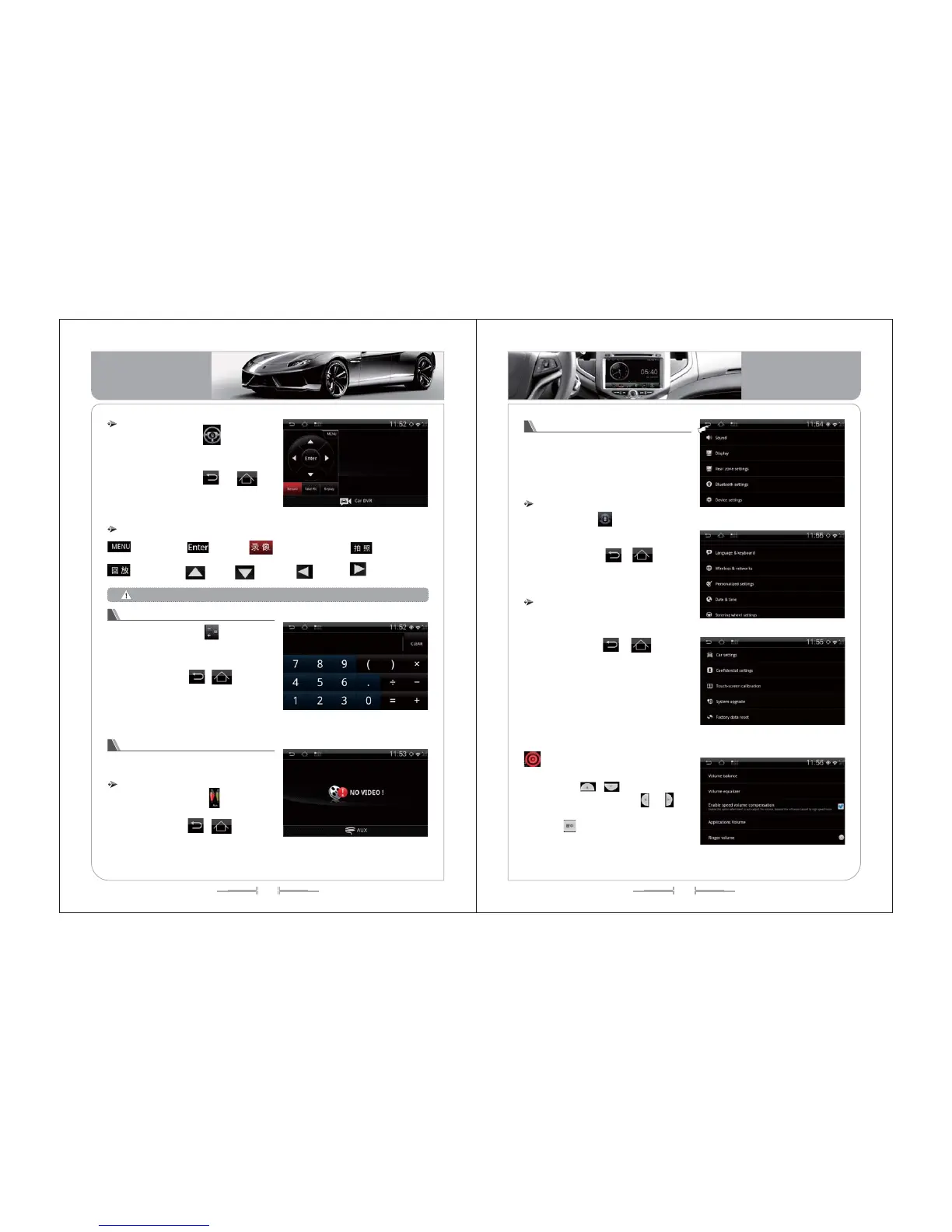
Functions instruction of DVR
Menu setup
replay
confirm
take photos
Up
Down
Left
Right
start to record
Click the icon of to enter the
interface of DVR function . See the
picture of -147.
Click the icon of , or
[Home] button and [BACK] button to exit
the function of DVR.
( -147)picture
the usage of the car recorder , please refer to the specification.
Operation for Calculator
( -148)picture
Click the icon of to enter the
calculator interface .See the picture of -
148.
Click the icon of , or [Home]
button and [BACK] button to exit the
calculator function .
The operation way same as the
normally calculator .
Click the icon of to enter the
AUX interface .See the picture of -149.
Click the icon of , or [Home]
button and [BACK] button to exit the AUX
interface .
This function can be used after connect
with additional audio or video signal .
AUX
( -149)picture
Click the icon of to enter the System
Setting interface .See the picture of -150,-
151,-152.
Click the icon of , or [Home]
button and [BACK] button to exit the System
Setting function .
Enter/Exit
Operation for System Setting
( -150)picture
( -152)picture
.
The System Setting including the Video
Setting, Display Setting, Dual-zone
Setting etc
( -151)picture
Operation for Sound Setting
Click “Sound Setting” under the System
Setting interface .See the picture of -153.
Click the icon of , or [Home]
button and [BACK] button to exit the Sound
Setting.
1) Sound Setting including the volume
balance, volume equalization, system
volume etc .
2) In the volume balance setting
interface, click the volume balance point
icon to adjust the volume, click “reset
"icon to restore the original car volume
balance. Click icon to adjust the
volume down and up, click to
adjust the volume balance point of the
car, click icon to center, as(picture-
154):
、
、
( -153)picture
Basic Operation
Basic Operation


 To Next Page