29
30
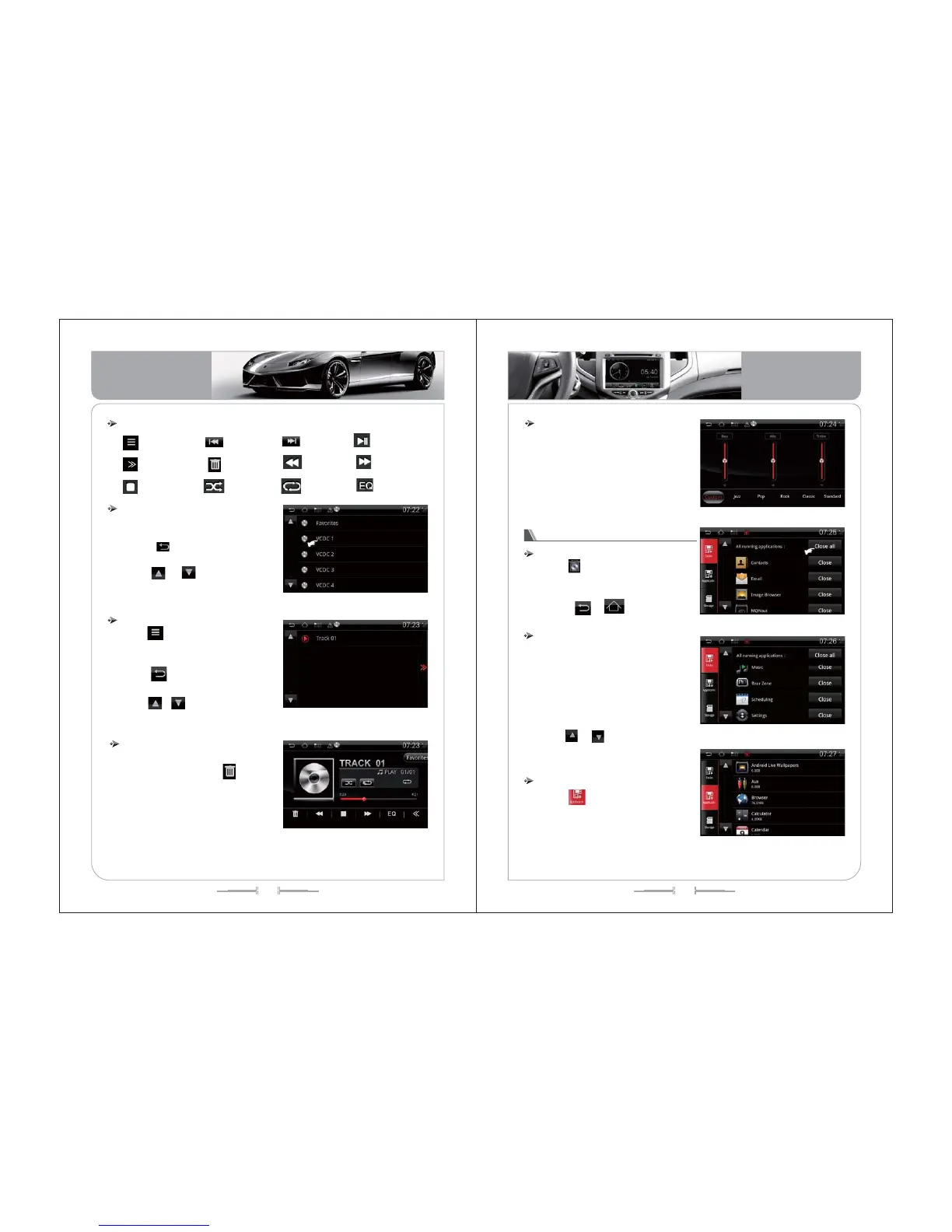
1, Press “ ” icon to enter the Disc
select interface, eg pic-44
2, Press icon to return the VCDC
playing interface.
3, Press icon to page up or
down, or slide on the touch screen to select
the Disc.
VCDC1
():
/
Virtual Disc select
( -44)picture
Keyboard definition
Play/Pause
List play
Stop
Random
Repeat
Seek-
delete
Seek+
Fast Forward
Fast Rewind
Equalizer
Open function list
1, Press icon on the VCDC interface
to enter the VCDC list, the list including
all the tracks in VCDC. eg pic-45;
2, Press icon or the Track to return
to the VCDC playing interface.
3, Press icon to page up and
down, or slide on the touch screen to
looking for the Track.
、
List Play
( -45)picture
1, At VCDC interface, you can delete the
song you don’t like. First press icon eg
pic-46, second press the song you don’t
like. eg pic-46;
2, Press“ OK ” icon, then the song will
be delete from the Disc.
Delete
( -46)picture
EQ setup
1, Press“EQ” icon, enter the EQ setup
interface, eg pic-47
2, Adjust the High, Middle, Bass to get
your favorite Equalizer, or select the
equalizer.
():
( -47)picture
Process explorer Operation
Enter/Quit
Press icon on the main menu to
enter the process explorer interface, eg pic-
48, pic-49
Press , icon or [Home],
[Back] to quit.
( -48)picture
1,
lose
、
Process Explorer show you all the
software running currently. Press “C ”
icon to exit this software.
2, Press “ Exit all” icon to exit all the
running software on the process explorer
interface.
3, Press icon to page up and
down, or slide on the touch screen to
select the running software.
Process explorer Operation
( -49)picture
1, Press icon to enter the software
explorer interface, it show you all the
installed software, eg pic-50;
Software explorer operation
( -50)picture
Basic Operation
Basic Operation


 To Next Page