EasyManua.ls Logo

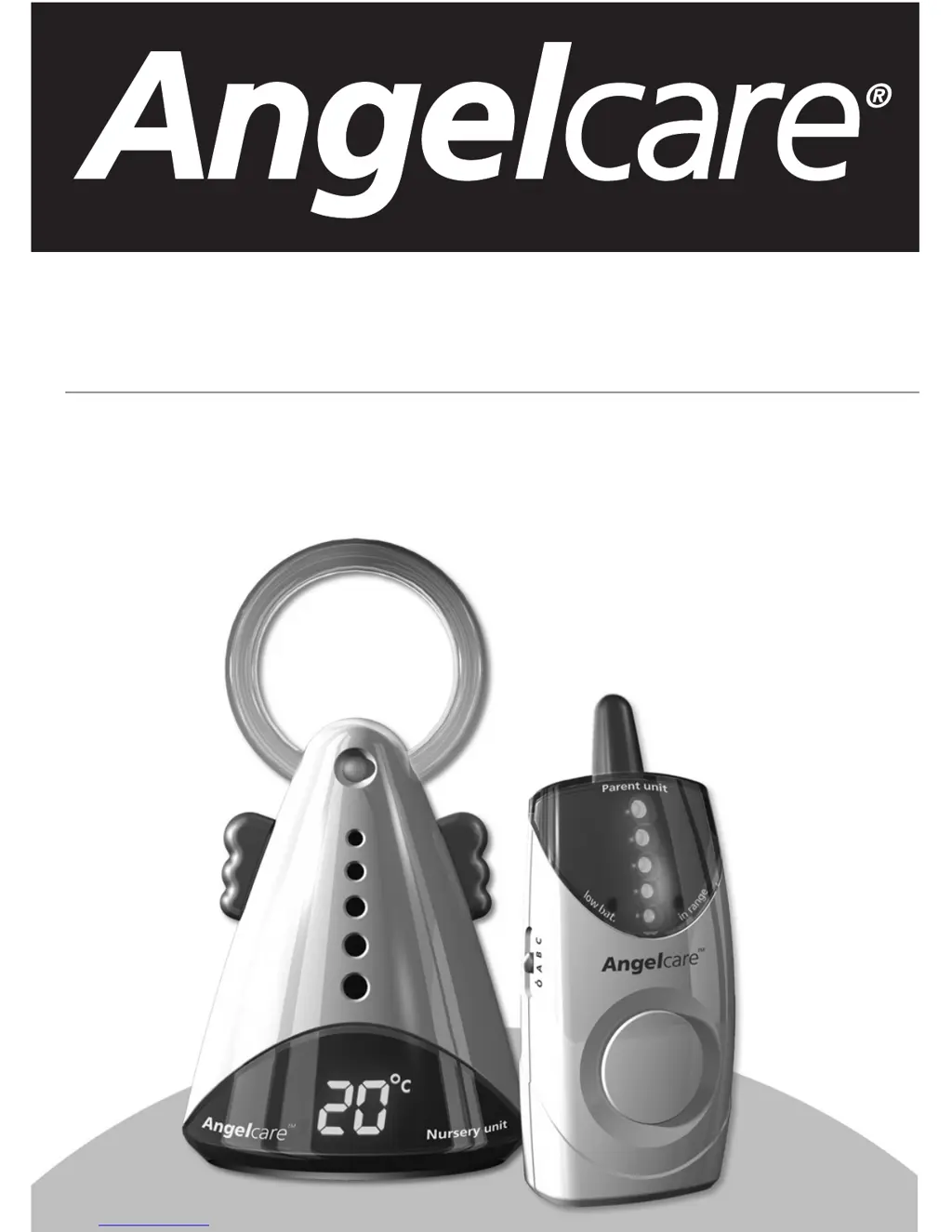
Angelcare AC301 - User Manual

Angelcare AC301
12 pages
Print Icon
To Next Page IconTo Next Page
Loading...
AC301
AC301-R
Digital 2.4GHz
Movement & Sound Monitor
Movement & Sound Monitor (Rechargeable)
Numérique 2.4 GHz
Moniteur de mouvements et sons
Moniteur de mouvements et sons (Rechargeable)

Questions and Answers

  • J
    James PhelpsAug 13, 2025
    Why does my Angelcare Baby Monitor have false alarms?
    • H
      hansenstephanieAug 13, 2025
      False alarms on your Angelcare Baby Monitor can occur for several reasons: * If the baby was removed from the crib and the Nursery Unit wasn't switched off, turn the Nursery Unit to the OFF position. * Check the Sensor Pad cord connection to the Nursery Unit; unplug and reconnect it. * Ensure there is no bedding between the mattress and Sensor Pad. The Sensor Pad must rest on a completely flat and rigid surface. You may need to place a piece of 6 mm (1/4") plywood to cover the full size of the crib base. * If the baby has moved to the edge of the crib, reposition the Sensor Pad as described in the manual. You may also need to adjust the sensitivity.
  • J
    Joanne BrownAug 17, 2025
    What to do if my Angelcare AC301 has static, distortion, or interference?
    • S
      Sheila PalmerAug 17, 2025
      If you're experiencing static, distortion, or interference with your Angelcare Baby Monitor, it could be due to a few reasons: * The Parent Unit may be out of range, so try bringing the units closer together. * Ensure that both units are on the same channel (A, B, or C). * The Parent Unit might be located near sources of interference like motorized devices, fluorescent lights, or a television. Try rotating the Parent Unit or moving it away from these sources.
  • T
    thomasmarkAug 21, 2025
    What to do if my Angelcare AC301 has no sound?
    • D
      David HensonAug 21, 2025
      If no sound is being transmitted from your Angelcare Baby Monitor, consider the following: * The units may be too far apart. Bring the Parent Unit closer to the Nursery Unit. * Check or replace the batteries, or recharge the Parent Unit (Model AC301-R only). * Ensure the AC adapters are properly connected and the electrical outlet is working. * Make sure both units are turned ON. * Ensure both units are on the same channel (A, B, or C).
  • P
    preynoldsAug 25, 2025
    Why is the movement indicator light flashing orange on my Angelcare Baby Monitor?
    • A
      Aaron BergerAug 25, 2025
      If the movement indicator light on your Angelcare Baby Monitor is flashing orange, it means the monitor is barely detecting movement. This could be because: * The Sensor Pad isn't in full contact with the crib mattress, or the crib mattress isn't resting on a completely flat or rigid surface. Ensure there's no bedding between the mattress and Sensor Pad, and that the Sensor Pad rests on a flat, rigid surface. You might need to place a piece of 6 mm (1/4") plywood to cover the full size of the crib base. * The baby is in a very deep sleep or has moved away from the Sensor Pad to the edge of the crib. Make sure the Sensor Pad is positioned correctly and consult the manual section about Movement Sensitivity Adjustment.
  • S
    Sergio StephensAug 28, 2025
    Why is the power ON indicator not lighting up on my Angelcare Baby Monitor?
    • M
      Miranda ThomasAug 28, 2025
      If the power ON indicator (green light) isn't lighting up on your Angelcare Baby Monitor, try these steps: * Check or replace the batteries, or recharge the Parent Unit (Model AC301-R only). * Ensure the AC adapters are properly connected and the electrical outlet is working. * Make sure both units are turned ON. * Ensure both units are on the same channel, either A, B, or C.
  • A
    Ariel SheaSep 1, 2025
    Why is the reception very weak on my Angelcare AC301 Baby Monitor?
    • D
      Debra SandersSep 1, 2025
      If you're experiencing very weak reception with your Angelcare Baby Monitor, consider the following: * The units might be too far apart. Bring them closer together. * One or both units may be placed near a large metal mass. Try changing the position of the units. * Ensure both units are in the upright position, placed on a flat surface away from the baby’s reach. * The batteries might be low. Replace the batteries or recharge the Parent Unit (Model AC301-R only).
  • K
    Kelly ColemanSep 5, 2025
    Why is my Angelcare AC301 Baby Monitor making feedback (loud noises)?
    • B
      Brian VazquezSep 5, 2025
      If your Angelcare Baby Monitor is emitting loud noises or feedback, it's likely because: * The units are too close to each other. Move them at least 3 meters/10 feet apart. * Try decreasing the volume on the Parent Unit.
  • M
    Michael CastilloSep 8, 2025
    Why is the reception weak but the in range indicator is not lit on my Angelcare AC301 Baby Monitor?
    • M
      Melissa GomezSep 9, 2025
      If you're experiencing weak reception on your Angelcare Baby Monitor but the in range indicator is not lit, it might be because the in range option is off. Use the night light switch to activate the range out feature by pressing and holding it for 2 seconds.

Summary

5 Easy Steps to Operate Your Angelcare Monitor

Sensor Pad Installation

Proper positioning and connection of the sensor pad under the mattress for accurate movement detection.

Nursery Unit Setup

Connecting the nursery unit, selecting monitoring functions, and connecting power.

Parents Unit Setup

Inserting batteries, connecting power, and adjusting volume for the receiver unit.

Using the Monitor and Battery Mode

Switching units on/off, channel selection, and managing battery power for continuous operation.

Warnings and Instructions

Product Warnings and Safety Precautions

Important notices regarding the product's limitations, supervision, and potential interference sources.

General Handling and Maintenance

Guidelines for retaining instructions, protecting from water/heat, ventilation, and cleaning the monitor units.

Testing and Operating Tips

Testing Your Angelcare Monitor

Procedure for testing the monitor's sound transmission and basic functionality before initial use.

Key Operating Tips and Features

Guidance on sensitivity adjustment, channel selection, sound lights, temperature display, night light, and voice activation.

Troubleshooting Common Issues

False Alarms and No Sound

Resolving issues with false alarms, alarm not sounding, or no sound being transmitted between units.

Indicator Light and Reception Problems

Addressing issues with power/movement indicator lights, weak reception, and static interference.

Feedback and Range Issues

Solutions for feedback noises and problems with the in-range indicator status.

Warranty and User Information

One Year Limited Warranty

Details on product warranty coverage, terms, and conditions for repair or replacement.

Information to User

FCC compliance statements, user guide declaration, and maximum power consumption details.

Distributors

International Distributor List

Contact information for Angelcare distributors across various countries for support and service.

Angelcare AC301 Specifications

General IconGeneral
BrandAngelcare
ModelAC301
CategoryBaby Monitor
LanguageEnglish

Related product manuals