EN
27
②
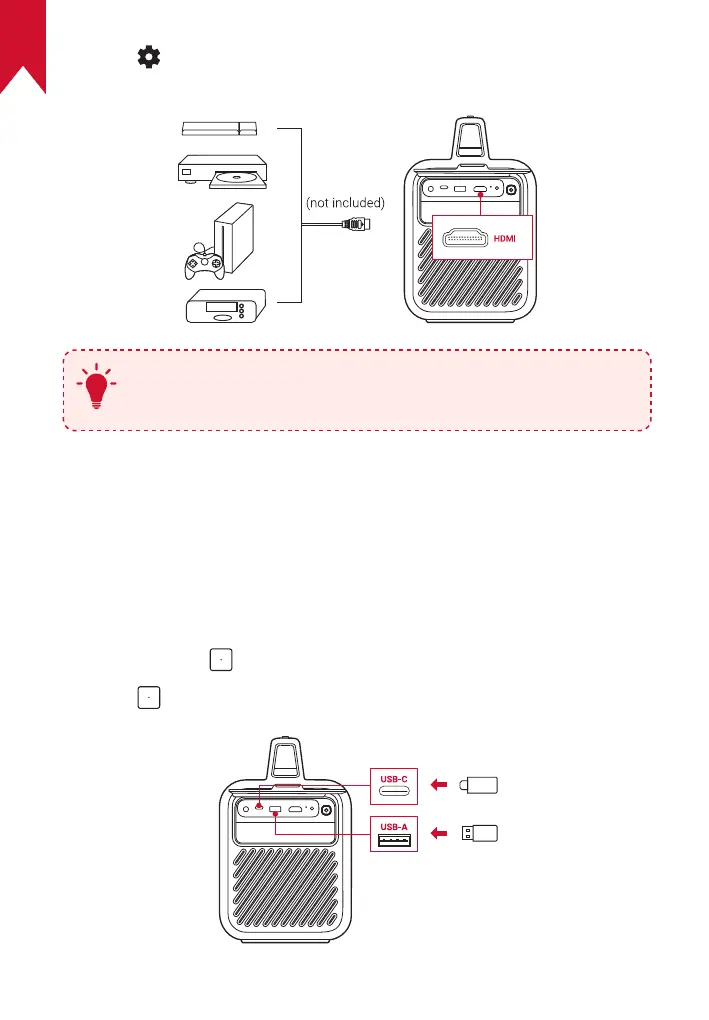
Press to access the settings menu, then select [Device
Preferences] > [Input] > [HDMI].
T
The projector will automatically start HDMI playback once
connected to an HDMI playback device for the first time.
5. Play from a USB Drive
With this projector, you can enjoy music, video, and pictures, or install
apps that are stored on a USB 2.0 drive.
①
Download the File Explorer app from Google Play.
②
Insert a USB-A or USB-C drive into the USB port.
③
Select music, videos, or photos from the USB drive that you want to
play and press .
④
Press to stop playback.



 To Next Page