EN
23
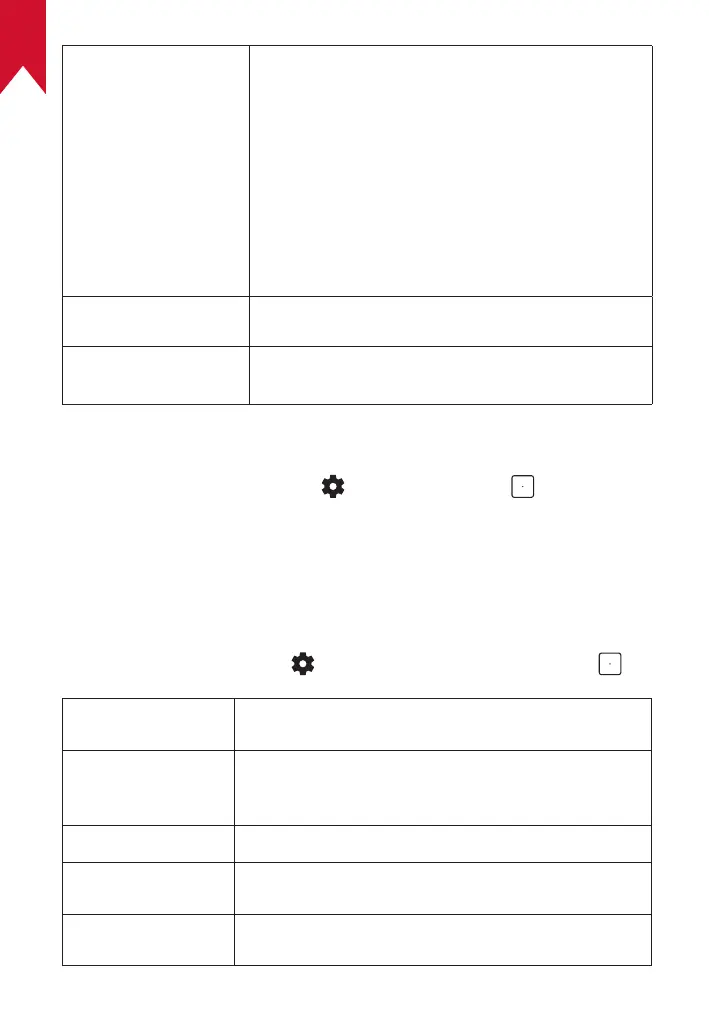
Smart Solutions: Turn on / off auto-alerts when
the projector detects an issue.
• Projection Angle Alert: Shows an alert when
the maximum projection angle is reached.
• Fine Tuning Popup: Shows a prompt to access
fine-tuning after auto keystone correction.
• AI Brightness Popup: Shows a prompt when
ambient brightness varies greatly from the
display brightness.
Updates Check for firmware updates.
Ambient Light
Turn the ambient light off or set the brightness
level.
3. Apps
①
On the home screen, select
> [Apps], and press .
②
Select an app and check the current version, open or force stop the
app, check the storage used, clear data or cache, uninstall the app,
or enable or disable notifications and permissions.
4. Device Preferences
On the home screen, select > [Device Preferences] and press .
About
Check device information, update the system, reset
the device, or rename the device.
Date & Time
Enable or disable automatic date and time,
manually set date and time, select time zone, or
set time format.
Timer
Change settings for auto power-off.
Language
Select an on-screen display language.
Keyboard
Check and manage keyboards.



 To Next Page