1009
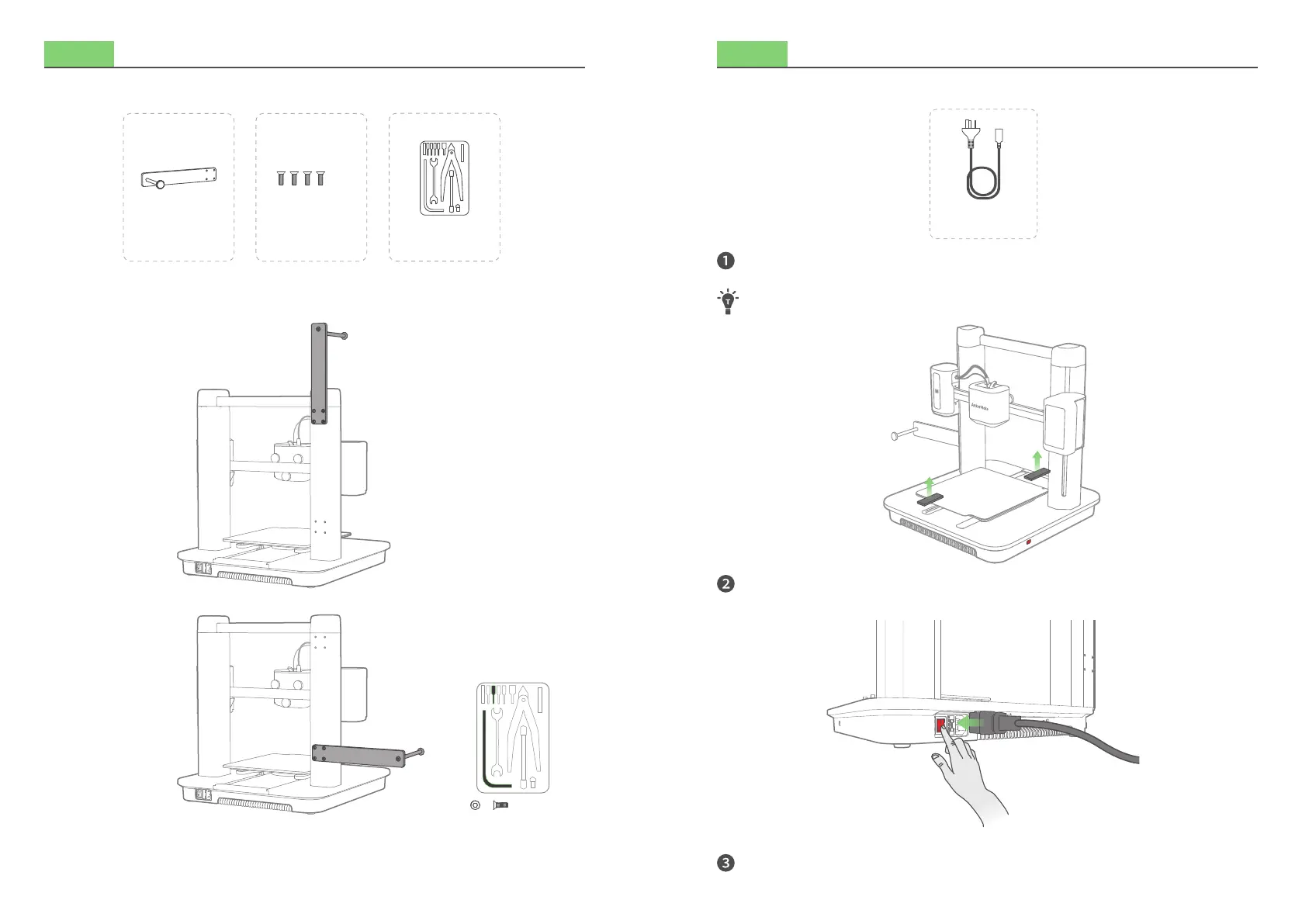
Step 3. Installing Filament Holder
What You Need
M4
Secure the lament holder with screws.
M4×4
Option 1
Option 2
ScrewsFilament Holder Toolbox
Step 4. Connecting to Power
What You Need
Check if the voltage (115V for the USA, Canada and Japan; 230V for the EU) matches
and remove the foam from the platform.
Visit ankermake.com/support to learn how to switch voltages.
Connect the printer to a power outlet with the power cord, then switch on the
printer. The power light will turn steady red.
Follow instructions on the touch screen to complete the initial setup.
Power Cord


 To Next Page