EN 08
Using Your Microphone
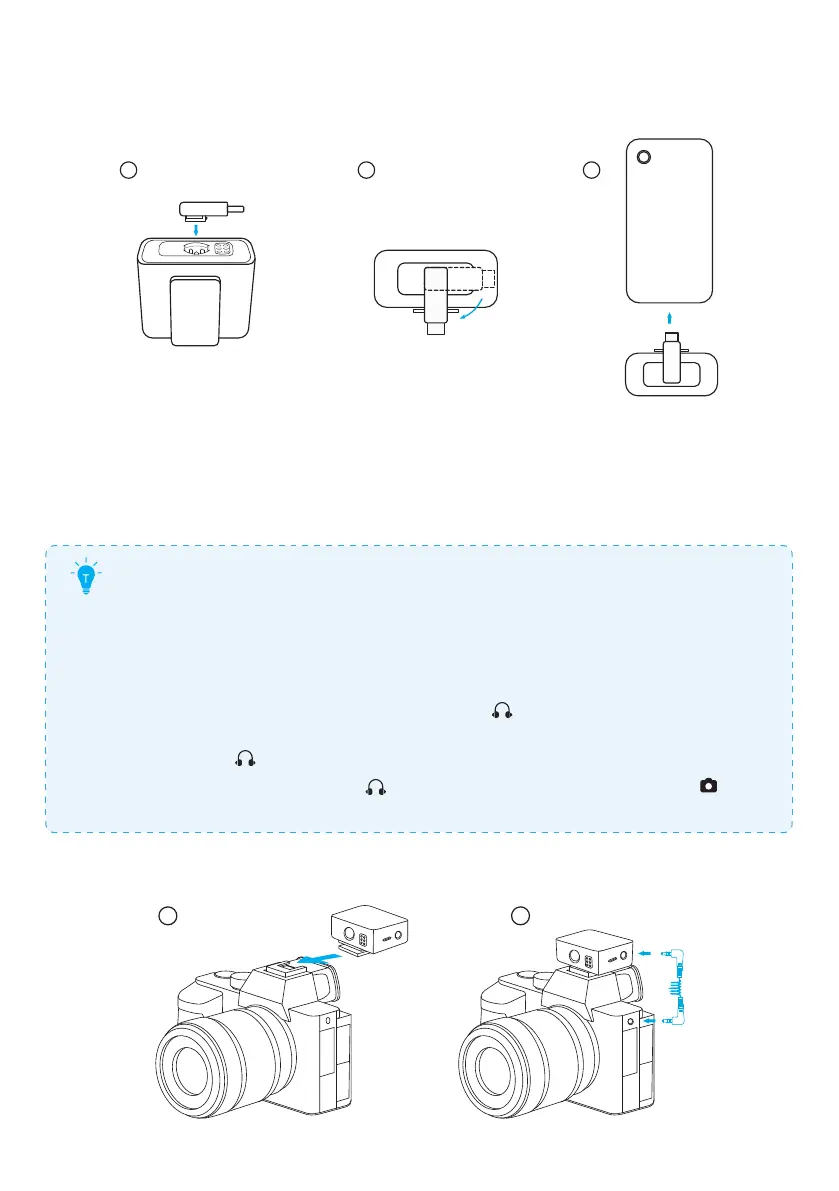
1. Connecting to a Phone
21 3
Your microphone can record and transmit audio to a phone. To connect the receiver
to the phone:
1. Align the adapter with the groove on the receiver.
2. Turn the adapter clockwise to lock.
3. Plug the adapter into your phone.
•
Your iPhone speaker cannot output sound when connected to the
receiver. Please use Bluetooth headphones or speaker instead.
•
Stereo mode and safe mode are not supported when using the
lightning adapter. In this case, only mono mode is available.
•
To monitor your audio while recording, plug your headphones into
the receiver's TRS output port.
•
To increase headphone volume, select
on the receiver's screen.
See "Settings" in this manual.
•
Selecting may distort recordings when the lightning adapter is
used. In this case, select
to check audio, and then return to for
nal recording.
2. Connecting to a Camera
21



 To Next Page
 Loading...