EN 13
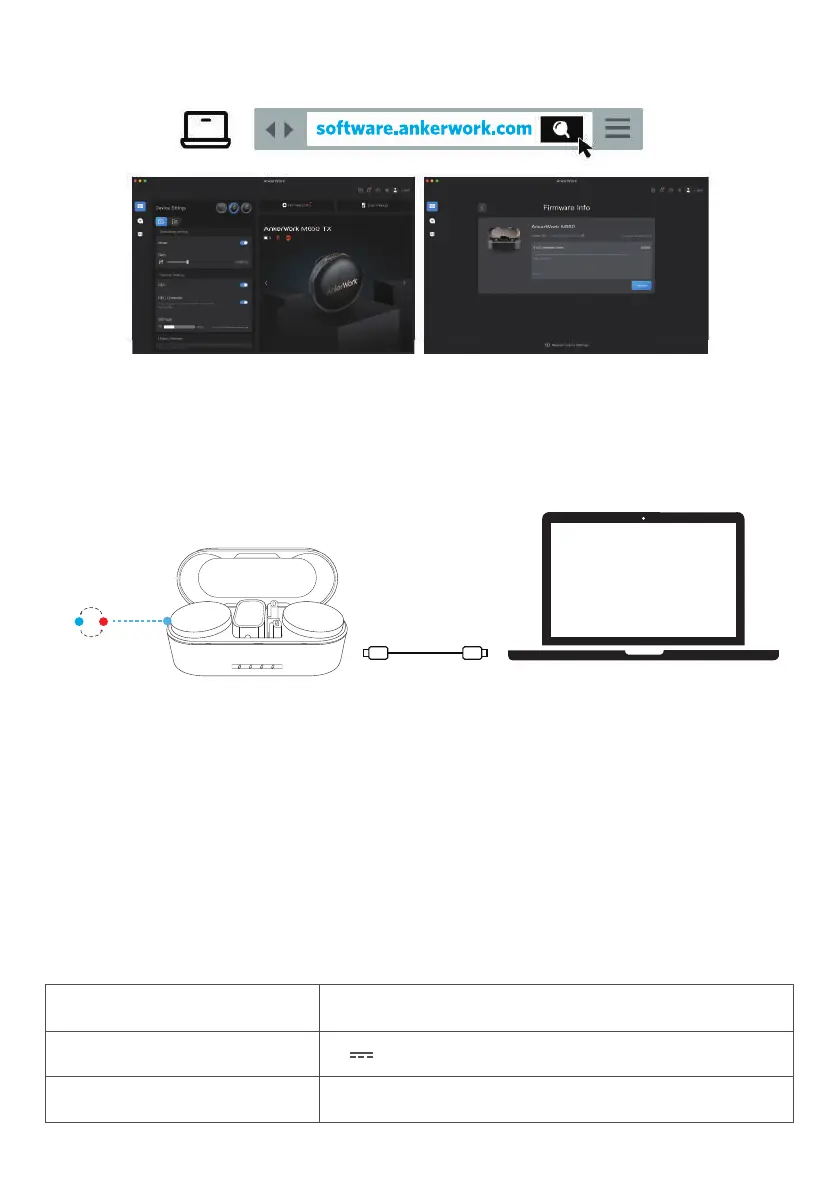
AnkerWork Software
Download the AnkerWork software to export recordings, adjust settings, update
rmware, and more.
Firmware Update
1. Return the receiver and transmitters to the charging case and leave the case
open.
2. Connect the charging case to the computer using the USB-C cable.
3. Check for rmware updates by connecting your microphone to the AnkerWork
software.
•
During the update, the LED indicator on the transmitter lights up blue and red in
a sequence.
Specifications
Specications are subject to change without notice.
Item Transmitter
Input 5V
0.66A
Weight 30g / 1.1 oz


 To Next Page
 Loading...