EN 05
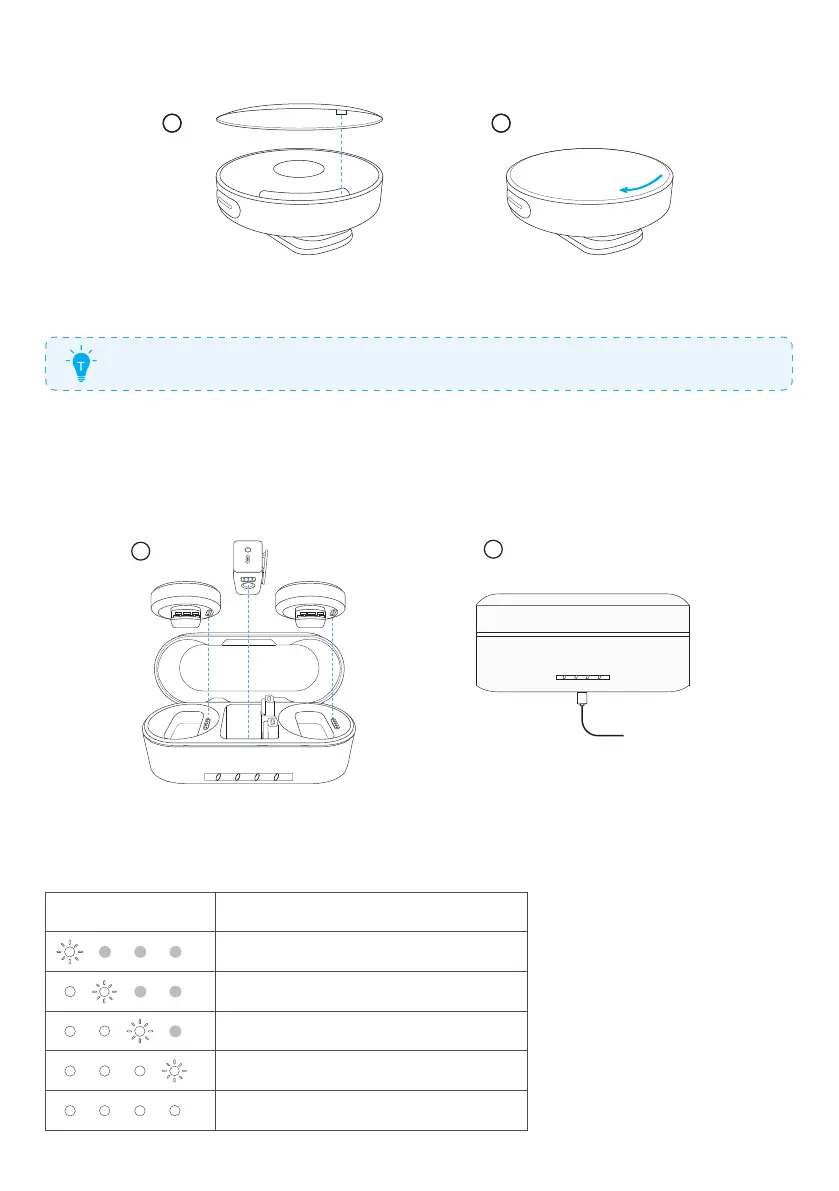
3. Changing a Transmitter Cover
21 21
To install a new cover, align it with the transmitter, and then turn the cover clockwise
to lock.
To remove the cover, turn it counterclockwise.
Charging
1. Charging Your Microphone
1
2
1. Place the receiver and transmitters in the charging case and close it.
2. Connect the charging case to the power supply by using the USB-C cable.
•
The LED indicators on the charging case indicate the charging status.
LED Battery level during charging
≤25%
26%-50%
51%-75%
76%-99%
100%


 To Next Page
 Loading...