EN 03
5
Multi-function button
•
Press to mute / unmute microphone.
•
Hold for two seconds to manually power on / off.
6
LED indicator
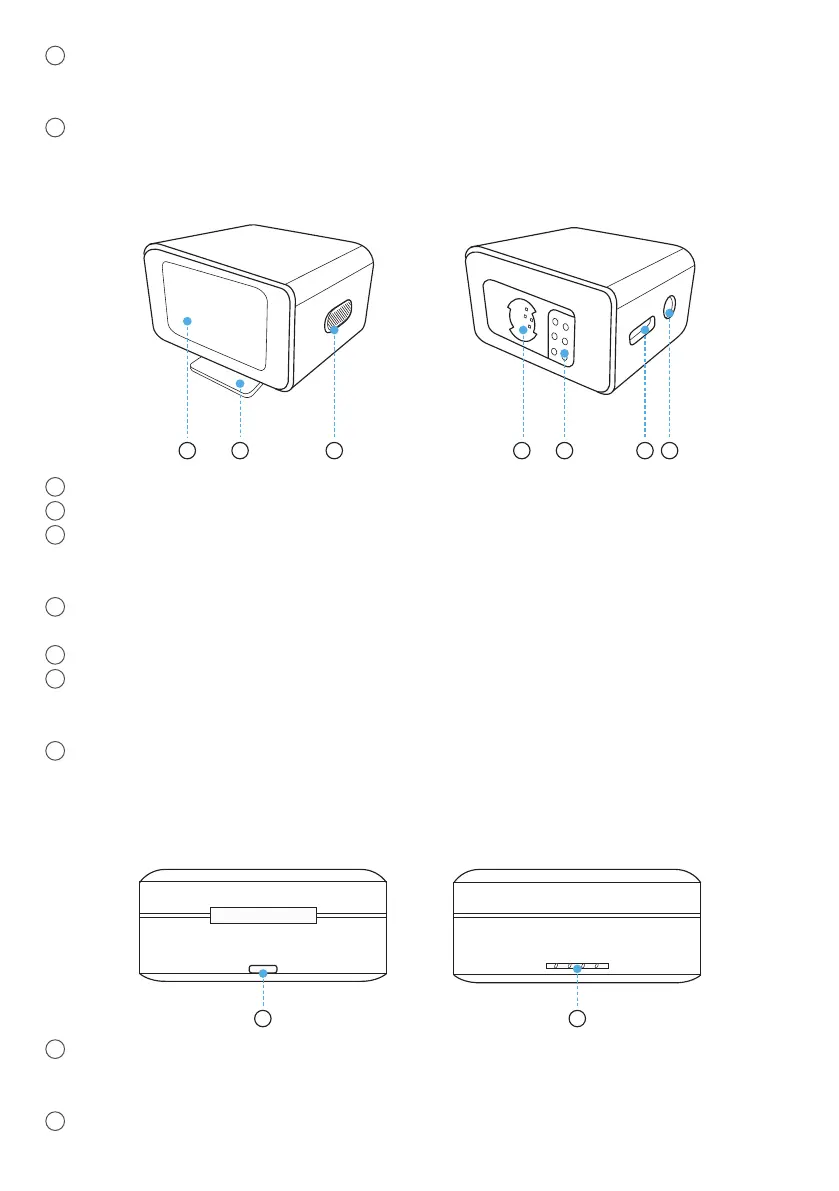
2. Receiver
5 6 721 3 4
1
Touchscreen
2
Built-in hot shoe adapter
3
Power button
•
Press to lock / unlock the screen.
•
Hold for two seconds to manually power on / off.
4
Expansion port
•
Connect to your phone using the provided adapter.
5
Charging pins
6
USB-C port
•
Connect to a power supply.
•
Connect to your computer as an external microphone.
7
TRS output port
•
Connect to your camera using the provided AUX cable.
3. Charging Case
21
1
USB-C port
•
Connect to a power supply.
•
Connect to AnkerWork PC software.
2
LED indicator



 To Next Page
 Loading...