EN 12
Others
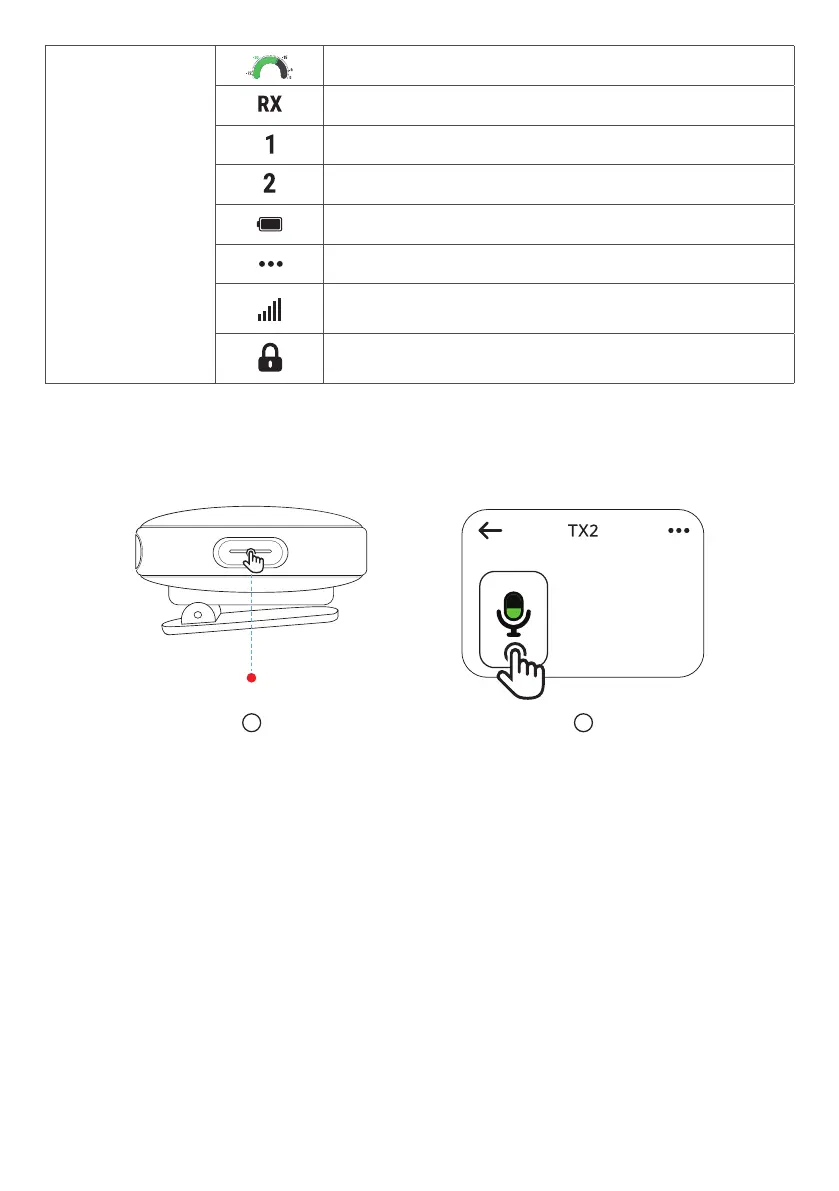
Indicates the real-time volume.
Indicates the receiver.
Indicates Transmitter 1.
Indicates Transmitter 2.
Indicates the battery level.
Access more options.
Indicates the signal strength between the transmitter
and receiver.
The touchscreen is locked. To unlock, press the
button on the receiver.
Mute
A
B
There are two ways to mute your microphone: by pressing the transmitter's button
or by setting via the receiver's screen.
•
The LED indicator on the transmitter turns steady red when the microphone is
muted.



 To Next Page
 Loading...