EasyManua.ls Logo

anko EV-6803-S259 - User Manual

anko EV-6803-S259
28 pages
Print Icon
To Next Page IconTo Next Page
Loading...
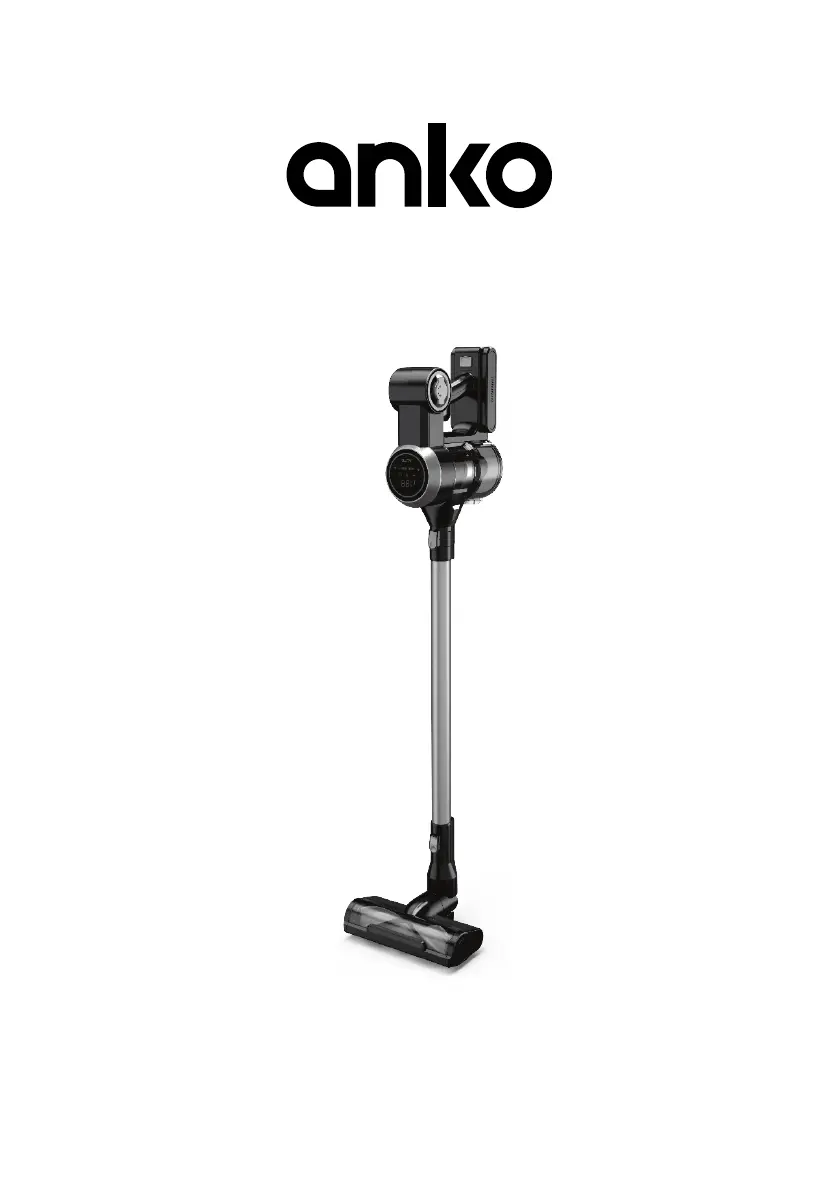
Rechargeable Hand - Stick Vac
For Household Use Only
Model No.:
EV-6803-S259
Rev 3
Note: The specifications and/or components of this appliance are subject to change without prior notice.
If any Accessories should fail during use, please call 1300 105 888 (Australia) or 09 8870 447 (New Zealand)
for an immediate replacement. This will save you from returning the product to the store.
If we can assist you in any other way, please feel free to contact us

Questions and Answers

  • M
    Michelle AndrewsAug 12, 2025
    What to do if my anko EV-6803-S259 will not switch on?
    • G
      George HessAug 13, 2025
      If your anko Vacuum Cleaner will not switch on, it's possible that the motor or battery has overheated. Allow the Vacuum Cleaner to cool for at least 1 hour before attempting to switch it on again.
  • D
    Dennis KingAug 16, 2025
    What does it mean when my anko EV-6803-S259 flashes 'CLEAN FILTER'?
    • J
      Jason JacksonAug 16, 2025
      If the red text 'CLEAN FILTER' is flashing on your anko Vacuum Cleaner, clean the filter and empty the dust canister. Also, inspect for any blockages and clear them. To order a new filter or battery please call 1300 105 888.
  • G
    glennmicheleAug 20, 2025
    Why is the suction not strong on my anko EV-6803-S259 Vacuum Cleaner?
    • T
      tapiaelizabethAug 20, 2025
      If your anko Vacuum Cleaner's suction isn't strong, first, ensure the exhaust filter and main filter are clean, and the dust canister is empty. Check for any blockages and remove them. Also, verify that the battery is fully charged. Additionally, make sure the speed setting isn't set to Low; press the “Increase Power” Button to select the Highest power mode.
  • M
    Miss Veronica Smith DDSAug 23, 2025
    How to reduce noise during anko EV-6803-S259 operation?
    • G
      Garrett VelezAug 25, 2025
      If your anko Vacuum Cleaner is operating noisily, start by cleaning the main filter and emptying the dust canister. Then, inspect for any partial blockages and remove them to ensure smooth operation.
  • E
    Evan MartinezAug 28, 2025
    Why does my anko Vacuum Cleaner turn off and show a COOLING message?
    • A
      Amber MartinAug 28, 2025
      If your anko Vacuum Cleaner turned off and the red text 'COOLING' is flashing, the battery has likely overheated. Avoid charging or using the vacuum in temperatures at or above 40°C. Unplug the battery charger if it's charging, and let the vacuum cleaner cool down for a minimum of 1 hour before trying to restart it.
  • L
    Laura MorrowAug 31, 2025
    Why is the floor head of my anko EV-6803-S259 Vacuum Cleaner hard to push?
    • C
      Chris MorenoSep 1, 2025
      If the floor head of your anko Vacuum Cleaner is hard to push, the rotary brush in the floor head may be jammed with debris. Ensure the Vacuum Cleaner is switched off and the battery is removed, then remove the debris from the brush. Also, the carpet pile may be too long.
  • P
    priceisaacSep 4, 2025
    What to do if anko EV-6803-S259 floor head turns off and flashes 'CLEAN BRUSH'?
    • L
      Laurie GonzalesSep 4, 2025
      If the floor head of your anko Vacuum Cleaner turned off and the red text 'CLEAN BRUSH' is flashing, the floor head brush is likely jammed. Ensure the Vacuum Cleaner is switched off, the battery is removed, and then remove any debris from the brush.
  • C
    christopher89Sep 8, 2025
    Why am I getting static shocks from my anko Vacuum Cleaner?
    • M
      mbrownSep 8, 2025
      The feeling of static electricity from your anko Vacuum Cleaner is not dangerous and isn't a fault of the vacuum cleaner. If this static discharge bothers you, try wearing insulating footwear (rubber or leather soles) while vacuuming or increase the humidity/heat level in the environment.

Summary

Warnings

Safety Directions

Transporting your Vacuum

Components

Introduction to the Control Panel

Overview of the vacuum cleaner's control panel features and indicators.

Assembly Method

Step-by-step guide on how to assemble the vacuum cleaner parts.

Attaching and removal of Battery Pack

Process for attaching and detaching the battery pack.

Attaching the Extension Tube

How to connect the extension tube to the vacuum cleaner body.

Removing the Extension Tube

Method for detaching the extension tube.

Attaching the Motorised Floor Head

How to connect the motorised floor head to the extension tube.

Removing the Motorised Floor Head

Method for detaching the motorised floor head.

Using Without the Extension Tube

Instructions for using the vacuum cleaner without the extension tube.

Tools

Description and use of the crevice/brush tool.

Charging

Guide on how to charge the vacuum cleaner's battery.

When to Charge Indicator

Explains the indicator for when the battery needs charging.

Antistatic Contacts

Using the Vacuum Cleaner

On; Off

Instructions on how to turn the vacuum cleaner on and off.

Speed Control

Details on adjusting the suction power and operating modes.

Indicator Lights

Jammed Floor Head Brush

Explains the indicator for a jammed brush roller in the floor head.

Filter Blockage; Air Flow Blockage

Describes the indicator for blocked filters or air flow.

Dust Indicator

How the indicator ring shows the amount of dust being collected.

Battery Overheating

Indicator and actions for battery overheating during use or charging.

Emptying the Dust Canister

User Maintenance

Cleaning the Main Filters

Guide on how to clean the primary filters for optimal performance.

Exhaust Filter

Instructions for cleaning or replacing the HEPA exhaust filter.

Cleaning Dust Canister

Steps for removing and cleaning the dust collection bin.

Cleaning the Vacuum Cleaner Body and Tools

How to clean the vacuum's exterior and its various attachments.

Cleaning the Motorised Floor Head

Process for removing and cleaning the rotary brush in the floor head.

Storage

Wall Mount Storage; Charging

Instructions for installing the wall mount bracket for storage and charging.

Vacuum Cleaner; Tool

Method for storing the vacuum cleaner and its accessories on the mount.

Troubleshooting

Warranty Against Defect

12 Month Warranty

Details of the product warranty period and terms.

anko EV-6803-S259 Specifications

General IconGeneral
ModelEV-6803-S259
CategoryVacuum Cleaner
TypeUpright
Cord Length5m
Filter TypeHEPA

Related product manuals