Procedure
Step 1.
Press the MODE key.
Step 2.
Select
Freq-Return Loss using the Up/Down arrow key and press ENTER.
Step 3. Set the start and stop frequencies, automatically by selecting a signal standard or
manually using the F1 and F2 soft keys, as described on page 3-2.
Step 4. Calibrate the Site Master as described on page 3-2.
Step 5. Connect the Device Under Test to the Site Master. A trace will be displayed on
the screen when the Site Master is in the sweep mode.
Step 6.
Press SAVE DISPLAY (page 3-10) name the trace, and press ENTER.
NOTE: The antenna must be connected at the end of the transmission feed line
when conducting a System Return Loss measurement.
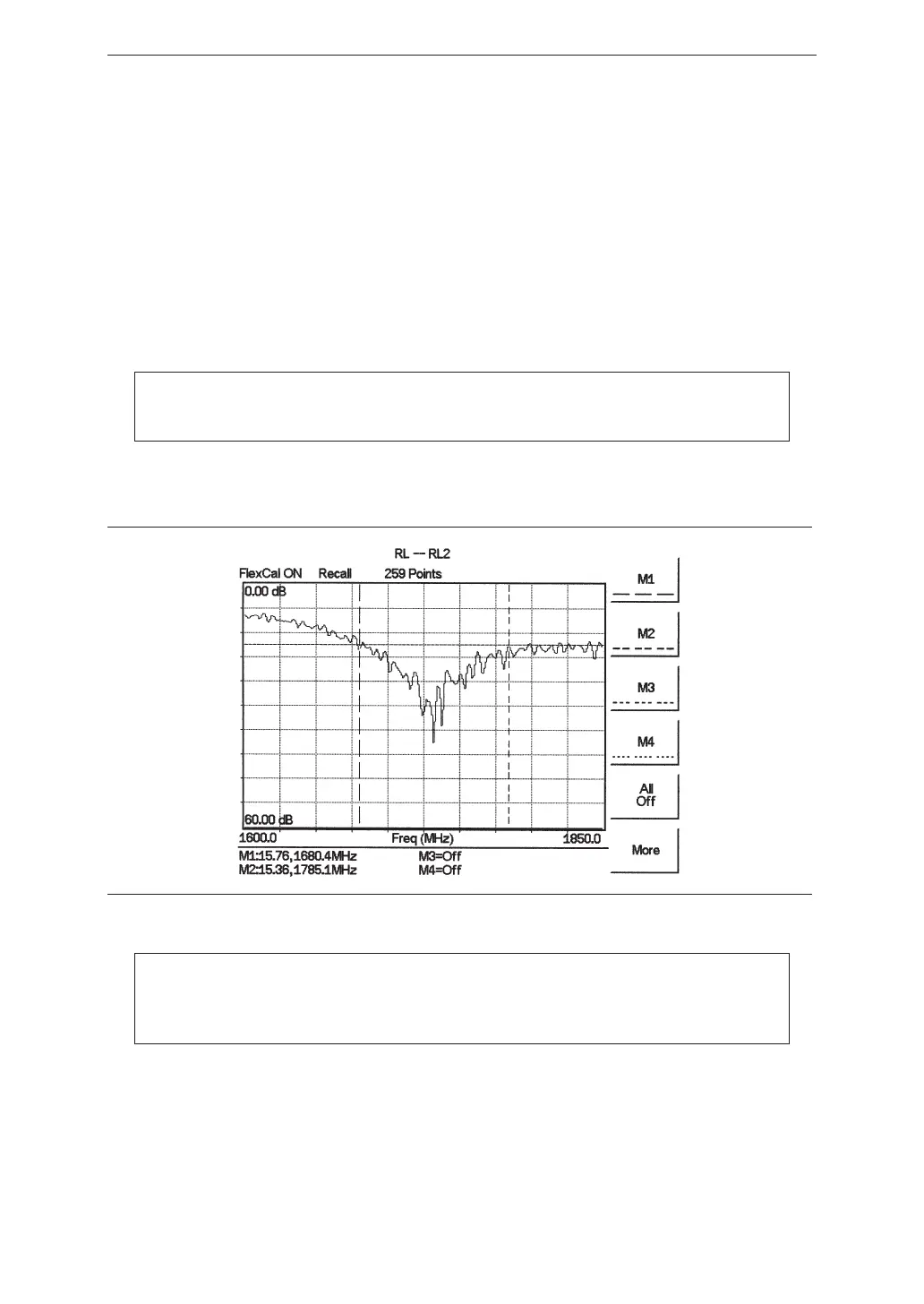
Figure 4-2 is an example of a typical system return loss measurement trace using a FlexCal
calibration:
NOTE: The system sweep trace should appear at an approximate return loss of
15 dB (±3 dB) in the status window. Typically, greater than a 15 dB return loss
is measured in the passband of the antenna system.
4-4
Chapter 4 Cable & Antenna Measurements
Figure 4-2. Typical System Return Loss Trace














 To Next Page