10
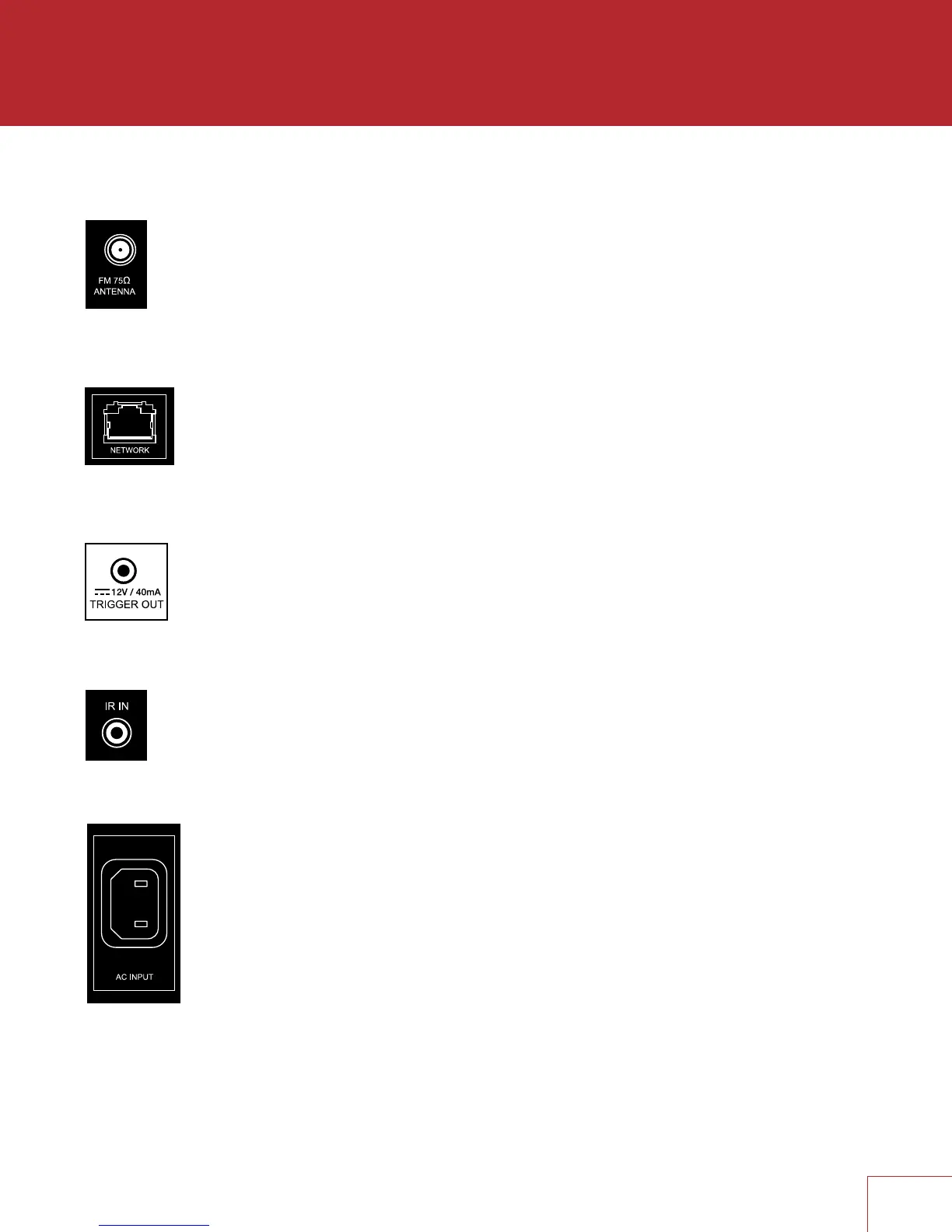
2.3 ANTENNA
Connect the FM antenna to the FM ANTENNA connector.
Later, when unit is operating move the antenna to find best reception.
2.4 LOCAL AREA NETWORK
A network connection is required for configuring Anthem Room
Correction, using the Play-Fi App, or using IP control. To use a wired
connection, simply connect your router using CAT5 cable.
2.5 12 VOLT TRIGGER
If another system component has a trigger input it can be activated by the
receiver. Connect the receiver’s trigger output using a cable with 3.5mm
mini plugs. The receiver provides flexible trigger options. Through the setup
menu, you can specify the conditions for enabling triggers.
2.6 INFRA RED
An external IR receiver allows the remote control to be used from another
location in your home – connect the receiver from an external IR hub to the IR
IN jack. Most standard IR repeater kits can be used but to avoid problems test
compatibility before installing permanently.
2.7 POWER
Connect the power cord to the receiver and the
power source.


 To Next Page