30
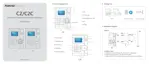
The main interface includes three parts:
1. System menu: Include the whole function module & information
2. Shortcut button: Shortcut button of common function module, array in working
order, easy to work on
3. Status column: Show the current time, logged-in administrator and system
information.
4.2 System
Click [System] on the main menu, following springs:
4.2.1 Parameters Settings
Click [Parameters Settings] in system menu. The following window will prompt:
Pic4.1
Basic parameters:
Set your company name, the default is “Head office”
Input your company name that will be deemed as the head of departments list.
A working day count as how many minutes is the base for time attendance



 To Next Page