45
Add a shift:
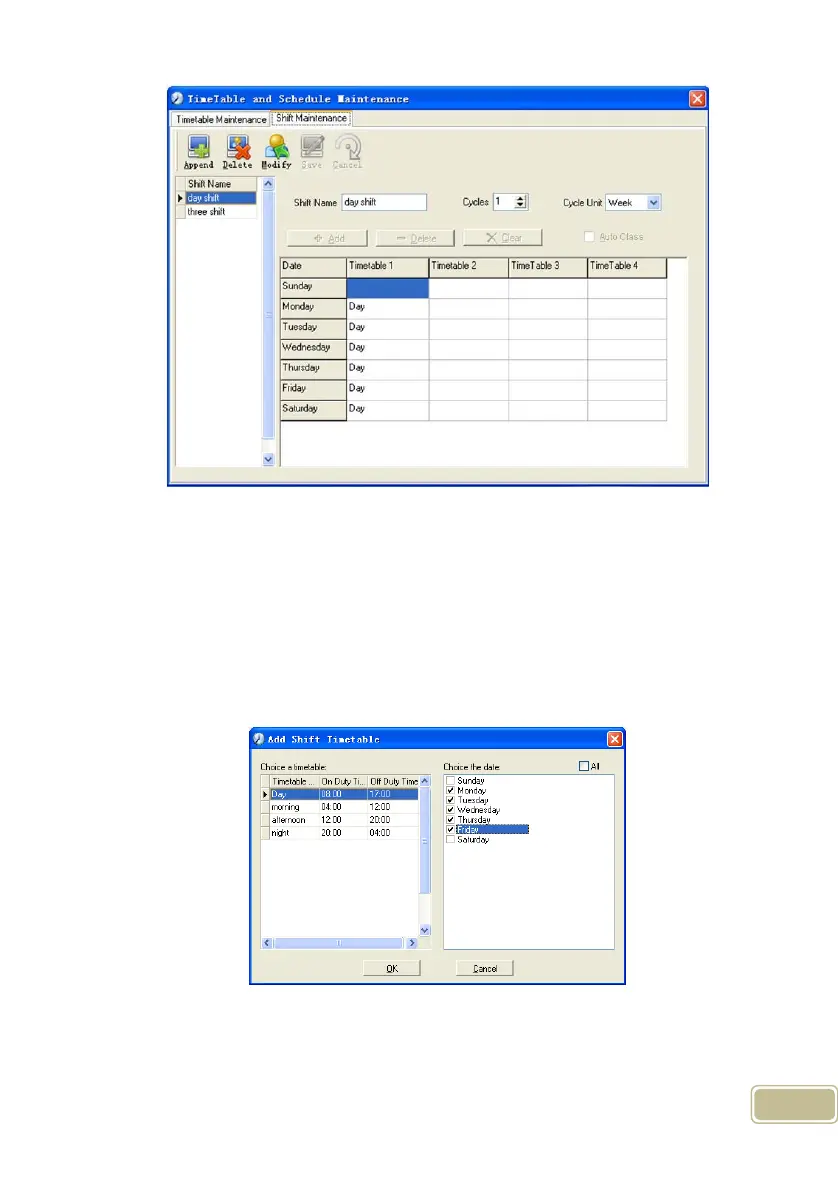
Click [Append] and enter corresponding shit information in [Shift Name] such as:
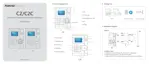
normal shift [Cycle] (1), [Cycle Unit] (week), and click [Add], select the timetables
and time range required in this shift in the springing window (see the Pic4.3 below)
For instance, select the timetable – Day shift and select from Monday to Friday and
then click [OK], back to this window and click [Save] to complete. (Please refer to the
example for details.).
Pic4.3
Delete the timetable: Select the timetable you want to delete and click [Delete].
Clear the timetable: Clear all the timetables of the shift.



 To Next Page