1、 Enter FUNC MENU, choose NO. 14 function menu.
2、 Press 【PUSH】key to enter function setting, the chosen menu value in LCD will turn
to green color.
3、 Turn channel switch to choose wanted setting.
ON: Turn on Automatic power on.
OFF: Turn off Automatic power on.
4、 Press【PUSH】key or【FP3】key to confirm and exit..
15. RET: Resume factory default
1、 Enter FUNC MENU, choose NO. 15 function menu.
2、 Press 【PUSH】key to enter function setting, the chosen menu value in LCD will turn
to green color.
3、 Turn channel switch to choose wanted setting.
OPT: All function settings resume factory default.
ALL: All channel and function settings resume factory default.
4、 Press【PUSH】key to confirm.
5、 Press【FP3】key to stop and exit resume default function,
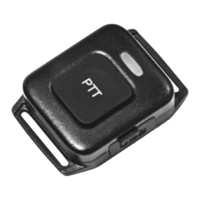
16. WIHD: Wireless microphone setting
1、 Enter FUNC MENU, choose NO. 16 function menu.
2、 Press 【PUSH】key to enter function setting, the chosen menu value in LCD will turn
to green color.
3、 Turn channel switch to choose wanted setting.
SET: .
CLR: .
4、 Press【PUSH】key or【FP3】key to confirm and exit..
C. Public menu setting
Enter public menu:
1. Long press【FUNC】key to enter main MENU interface.
2. short press【FP4】key. 【FP6】key or channel switch to move cursor, to choose menu
group.(Note: short press【FP5】key can fast turn page)
3. Press【PUSH】key to enter PUD MENU .
4. short press【FP4】key. 【FP6】key or channel switch to move cursor, to choose wanted
menu setting..
5. Press 【PUSH】key to enter function setting, the chosen menu value in LCD will turn to
green color.
6. Turn channel switch to choose wanted setting.
7. Press【PUSH】key or【FP3】key to confirm and exit..



 To Next Page
 Loading...