EasyManua.ls Logo

AnyTone DMR AT-D878U - User Manual

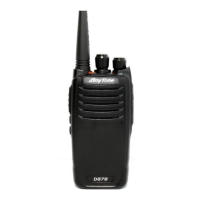
AnyTone DMR AT-D878U
29 pages
Print Icon
To Next Page IconTo Next Page
Loading...
A1.181016
www.anytone.net
- Радиостанции Anytone в России -
www.anyradio.ru

Questions and Answers

  • W
    Whitney Moore MDJul 28, 2025
    How to fix an AnyTone DMR AT-D878U that cannot be switched on or has no display?
    • L
      Lisa FletcherJul 28, 2025
      If your AnyTone Radio fails to power on or the display remains blank after switching it on: * Ensure the battery pack is correctly installed by removing and reinstalling it. * Check the battery level and recharge or replace the battery pack if the power is insufficient.
  • D
    Dr. Nancy CarterAug 8, 2025
    What to do if I cannot talk to or hear other members in my AnyTone DMR AT-D878U Radio group?
    • M
      Michael GarrisonAug 8, 2025
      To communicate effectively with your group using the AnyTone Radio, ensure the following: 1. Verify that the frequency and CTCSS settings are identical to those used by other group members. 2. Confirm that you are within an appropriate communication range. 3. Select the correct digital mode and frequency. 4. In digital mode, ensure that the correct code and encrypt group are configured for the current channel. 5. In digital mode, verify that the appropriate receiving contacts and receiving group are selected.
  • B
    Brandon LeeAug 18, 2025
    Why am I hearing other voices from non-group members on the AnyTone Radio channel?
    • L
      Lisa EscobarAug 18, 2025
      If you are hearing voices from individuals outside your group on the AnyTone Radio channel, you should change the CTCSS/DCS Tone in the analog mode. Ensure that all radios within your group are updated with the same tone.

Summary

Battery Information and Charging

Charging the Battery Pack

Instructions and tips for charging the Li-ion battery pack.

Li-ion Battery Safety Precautions

Safety precautions for handling and charging the Li-ion battery.

How to Charge the Battery

Step-by-step guide on how to charge the radio's battery.

Radio Preparation and Setup

Basic Radio Operations

Communication Procedures

Explains receiving, responding, and making radio calls.

Special Operational Features

Details Emergency Alarm, Man Down Alarm, and Battery Voltage Test.

Programmable Functions

Radio Reset Procedure

Safety Guidelines

Battery Handling and Safety

Proper methods for handling the Li-ion battery and charger.

RF Exposure and Compliance

Guidelines regarding radio frequency exposure and regulatory compliance.

AnyTone DMR AT-D878U Specifications

General IconGeneral
Channel Capacity4000 Channels
GPSYes
BluetoothYes
APRSYes
IP RatingIP54
Frequency Range400-480 MHz
Battery3100 mAh
Display1.77 inch Color LCD
Digital ProtocolDMR
Operating ModeAnalog, Digital
Zones250

Related product manuals