MHPTV TX Quick Start Guide
MHPTV-QSG-DOC-V1.1, 12/05/2018 Page 32 of 37
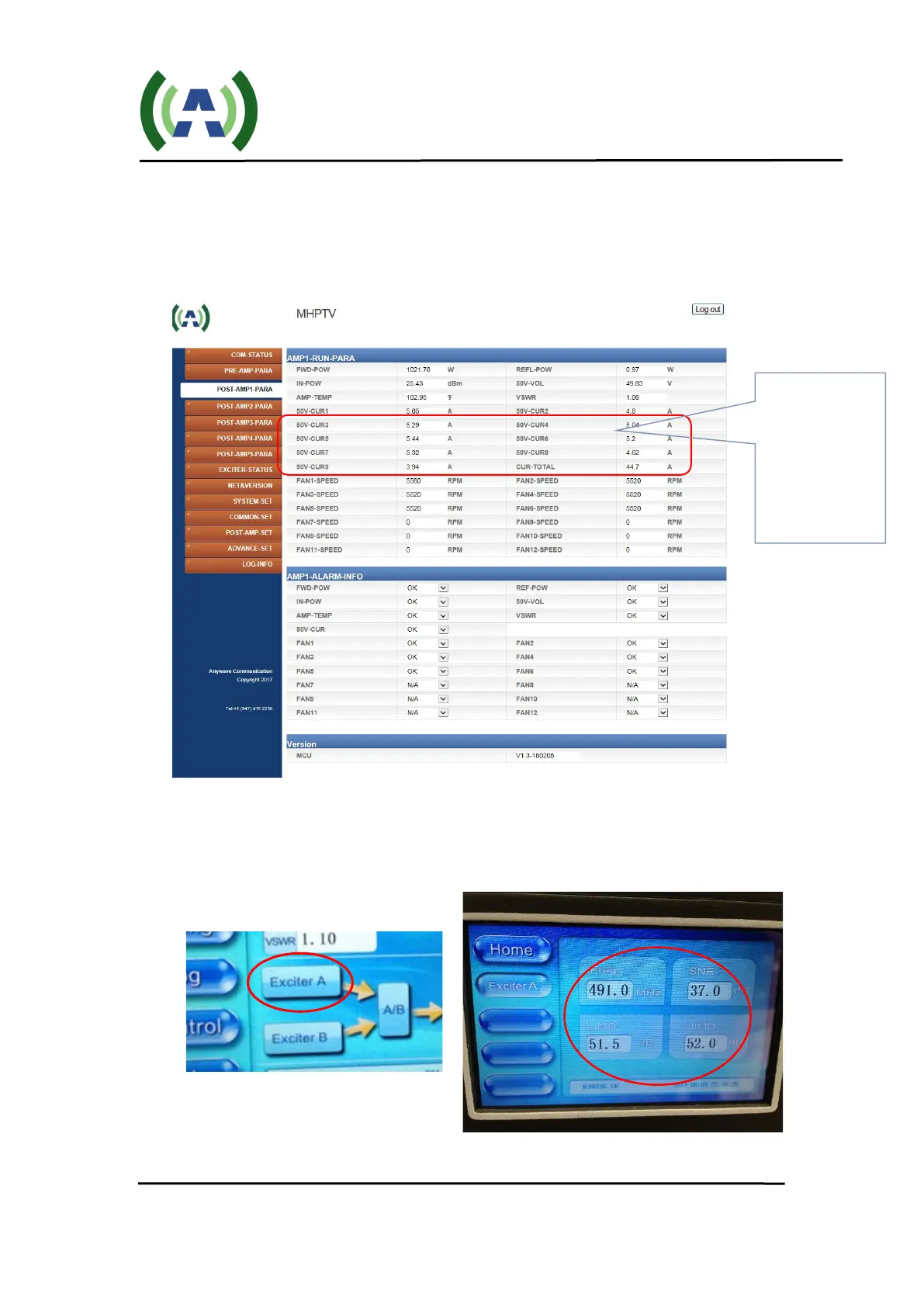
5. Continue to slowly raise the FWD power until you reach the max power rating
of the TX or your lower desired TPO. Check to be sure that the PA device
currents do not exceed the full power operating currents as shown in your
Factory Test Report. Also, be careful to make small increases in the value of
Exciter POWER as you approach the desired TPO.
6. Check the SNR and Shoulder (LIMD and UIMD) RF performance of your
system by pressing the Exciter A icon on the Controller HOME screen or by
checking the Exciter hi-level LCD or web interface as shown below.
currents on all
PA drawers – be
sure to not
exceed Factory
Test data values


 To Next Page