19
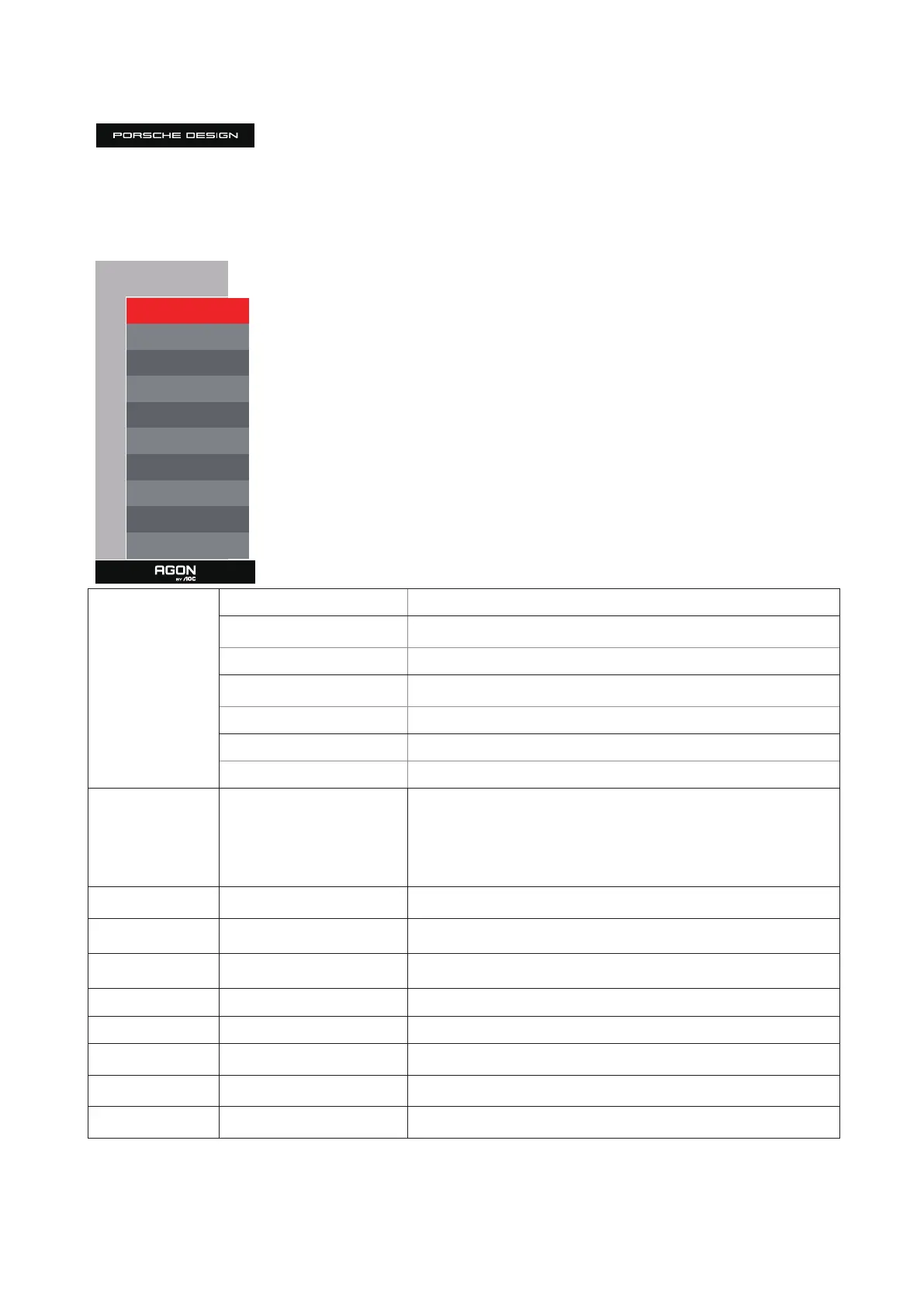
Game Setting
Game Setting
Game Mode O
Shadow Control 50
Shadow Boost O
Game Color 10
Sniper Scope O
Adaptive-Sync
On
Low Input lag
On
Frame Counter O
HDMI2 120Hz
HDMI1 120Hz
Game Mode
O No optimization by game game.
FPS
For playing FPS (First Person Shooter) games. Improves dark theme black
level details.
RTS For playing RTS (Real Time Strategy) games. Improves the image quality.
Racing
For playing Racing games, Provides fastest response time and high color
saturation.
Gamer 1 User’s preference settings saved as Gamer 1.
Gamer 2 User’s preference settings saved as Gamer 2.
Gamer 3 User’s preference settings saved as Gamer 3.
Shadow Control 0-100
Shadow Control Default is 50, then end-user can adjust from 50 to 100 or
0 to increase contrast for clear picture.
1. If picture is too dark to be saw the detail clearly, adjusting from 50 to
100 for clear picture.
2. If picture is too white to be saw the detail clearly, adjusting from 50 to
0 for clear picture
Shadow Boost O /Level 1 /Level 2 /Level 3
Enhance the screen details in the dark or bright area to adjust the
brightness in the bright area and ensure that it is not oversaturated.
Game Color 0-20
Game Color will provide 0-20 level for adjusting saturation to get better
picture.
Sniper Scope O /1.0 /1.5 /2.0 Zoom in locally to make it easier to target when shooting.
Adaptive-Sync On / O Disable or Enable Adaptive-Sync..
Low Input lag On / O Turn o frame buer to decrease input lag
Frame Counter
O / Right-Up / Right-Down /
Le-Down / Le-Up
Display V frequency on the corner selected
(Frame counter feature only works with AMD graphic card.)
HDMI1 120Hz/240Hz
When using the PS2(3) ,XBOX or DVD player, please change the OSD
setting to “120Hz”
HDMI2 120Hz/240Hz
When using the PS2(3) ,XBOX or DVD player, please change the OSD
setting to “120Hz”
Note:
When HDR is set to “non-o” under “Image Setup” and the input source has HDR content, “Game Mode”, “Shadow Control”, “Game
Color”items cannot be adjusted .



 To Next Page