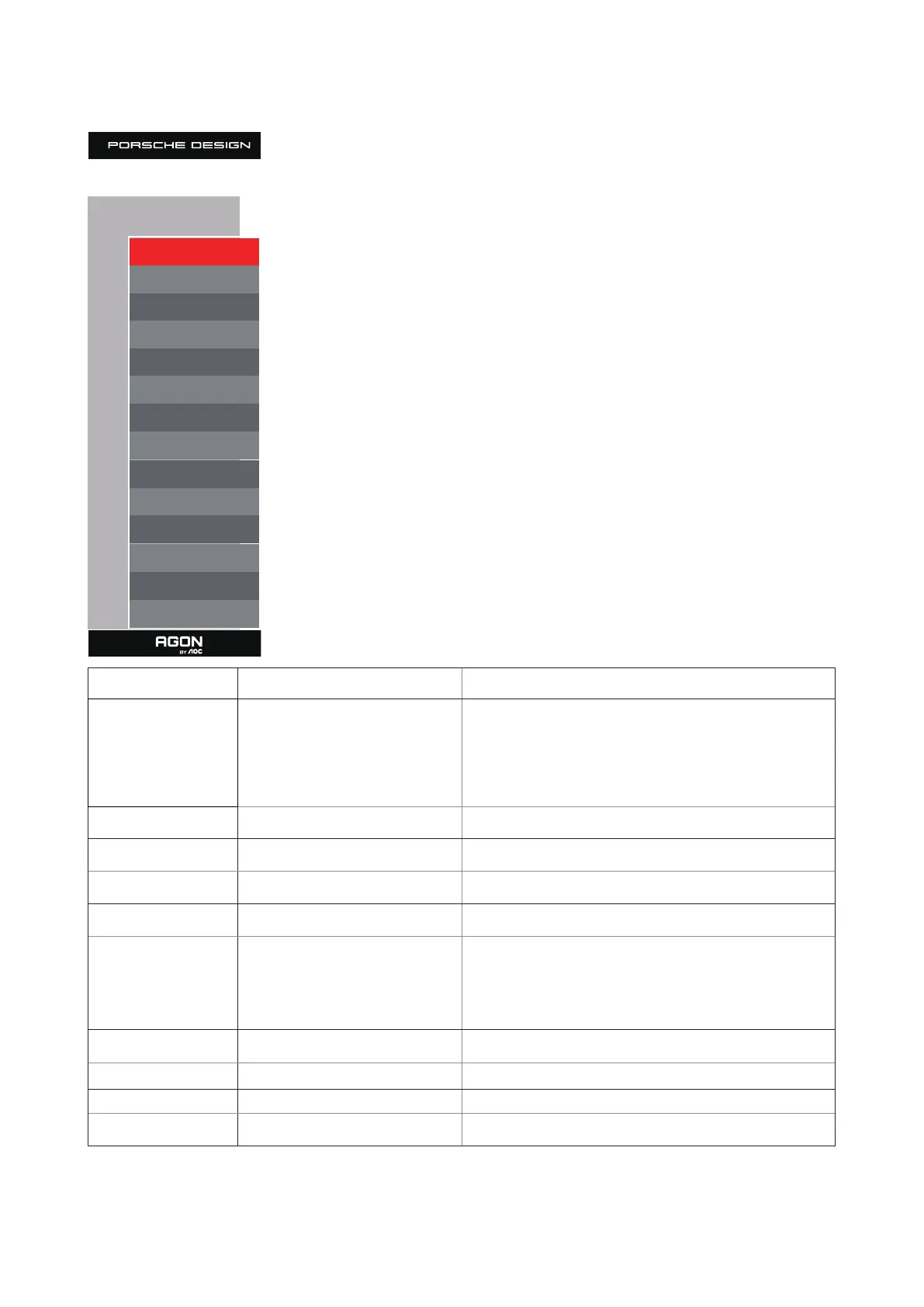
27
Extra
Extra
Input Select Auto
LEA On
Pixel Orbiting Weak
Pixel Refresh O
Auto Warning On
O Timer 0
Image Ratio Wide
DDC/CI Yes
Reset No
Resolution: 5120 H x 1440 V SDR
H.Frequency: 89 KHz
V.Frequency: 60 Hz
Time aer Pixel Refresh : 7
Pixel Refresh Counts : 0
Input Select AUTO/HDMI1/HDMI2/DP/USB C Select Input Signal Source
LEA On/ O
It is used to turn on the LEA function to reduce the risk of
generating image retention. Recommended function settings:
“On.”
Aer this function is enabled, the screen will be automatically
narrowed to x the brightness of the display area, so as to reduce
possible image retention.
Pixel Orbiting O / Weak / Medium / Strong
Auto Warning O / On
Pixel Refresh O / On
O timer 0-24hrs Select DC o time
Image Ratio
Wide /4:3/1:1 / 17"(4:3) /
19"(4:3) / 19"(5:4) / 19"W(16:10)
/ 21.5"W(16:9) / 22"W(16:10)
/ 23"W(16:9) / 23.6"W(16:9) /
24"W(16:9) / 27”W(16:9)
Select image ratio for display.
DDC/CI Yes or No Turn ON/OFF DDC/CI Support
Reset Yes or No Reset the menu to default
Time aer Pixel Refresh Yes for OLED count use.
Pixel Refresh Counts Yes for OLED count use.



 To Next Page