11EN
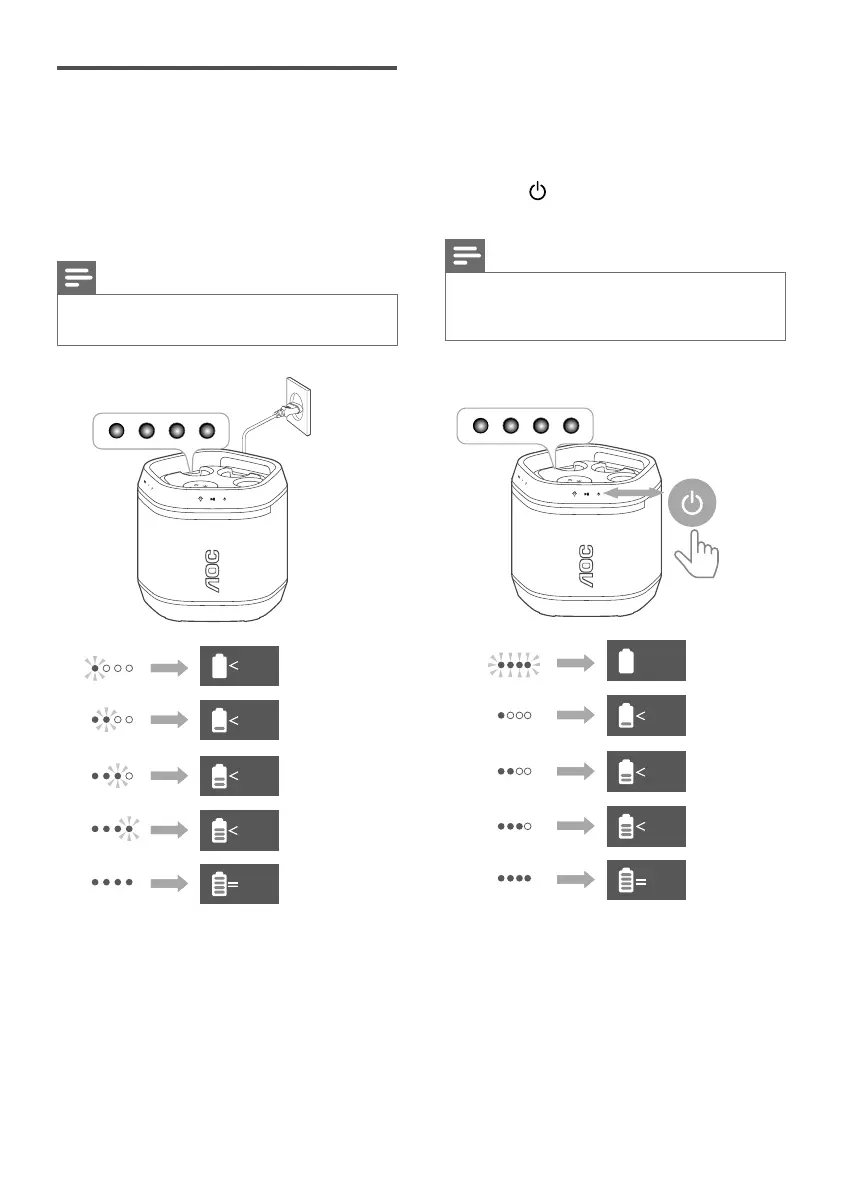
Charge the built-in
battery
Plug the AC power cord to charge the
built-in battery. The battery indicators
blink in dierent manners to indicate
the charging status.
Note
• The four indicators on the unit display for 15
seconds after the battery is fully charged.
20%
100
%
50%
80%
100
%
Check the battery level
• The speaker is designed with a
smart battery check feature for your
convenience.
• When the speaker is not in charging,
press touch key to display the
battery level on the LED indicators.
Note
• When the battery level is low, all battery LED
indicators will blink simultaneously and a
prompt tone is heard.
20%
Low Battery
50%
80%
100
%



 To Next Page