14 EN
Pairing for stereo mode
(TWS)
Two speakers can pair with each other
for stereo sound.
Note
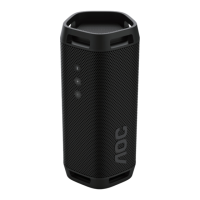
• TWS is worked only if there are two identical
party speakers (SPEAKER O3).
Select master speaker manually
1 Press and hold key for 3 seconds
to power on both speakers and
enter to Bluetooth pairing mode.
» The LED indicator (LED3) on both
speakers blink blue.
2 Select one speaker as master and
connect to Bluetooth.
» LED3 on master speaker turns
solid blue once Bluetooth is
connected.
3 Press and hold (TWS) button on
both speakers for 3 seconds to
enter stereo pairing mode (TWS).
» LED3 blinks blue and white
alternatively on both speakers
4 When TWS is connected, you will
hear a voice prompt.
» LED3 turns solid blue on both
speakers.
5 To exit TWS, press and hold (TWS)
button on either speaker.
Select master speaker
automatically
1 Press and hold touch key for 3
seconds to power on both speakers.
» The LED indicator (LED3) on both
speakers blink blue.
2 Press and hold TWS button on
both speakers for 3 seconds to
enter stereo pairing mode.
» The rst speaker entered TWS
mode is master and LED3 on
master speaker turns sold blue.
» The volume level, play/pause
state, light mode in slave
speaker will sync from master
speaker after TWS connected.
3 To exit TWS, press and hold (TWS)
button on either speaker.
Note
• During TWS pairing mode, both master and
slave speaker will return to previous state
automatically after 1 minute without user
operations or TWS pairing is not successful.
TWS playback operation
When TWS is connected, the slave
speakers will synchronize from master
speaker of below functions.
• Light eect
• Volume level
• Play/pause
• DBB (bass) level
Key & Operate Action
Press key on
either speaker
Select Play/pause
the music on both
speakers
Press VOL +/- key
on either speaker
Increase or
decrease volume
on both speakers
Press DBB key on
either speaker
Change DBB
setting on both
speakers
Press and hold
key on either
speaker for 3
seconds
Power o both
speakers


 To Next Page