3
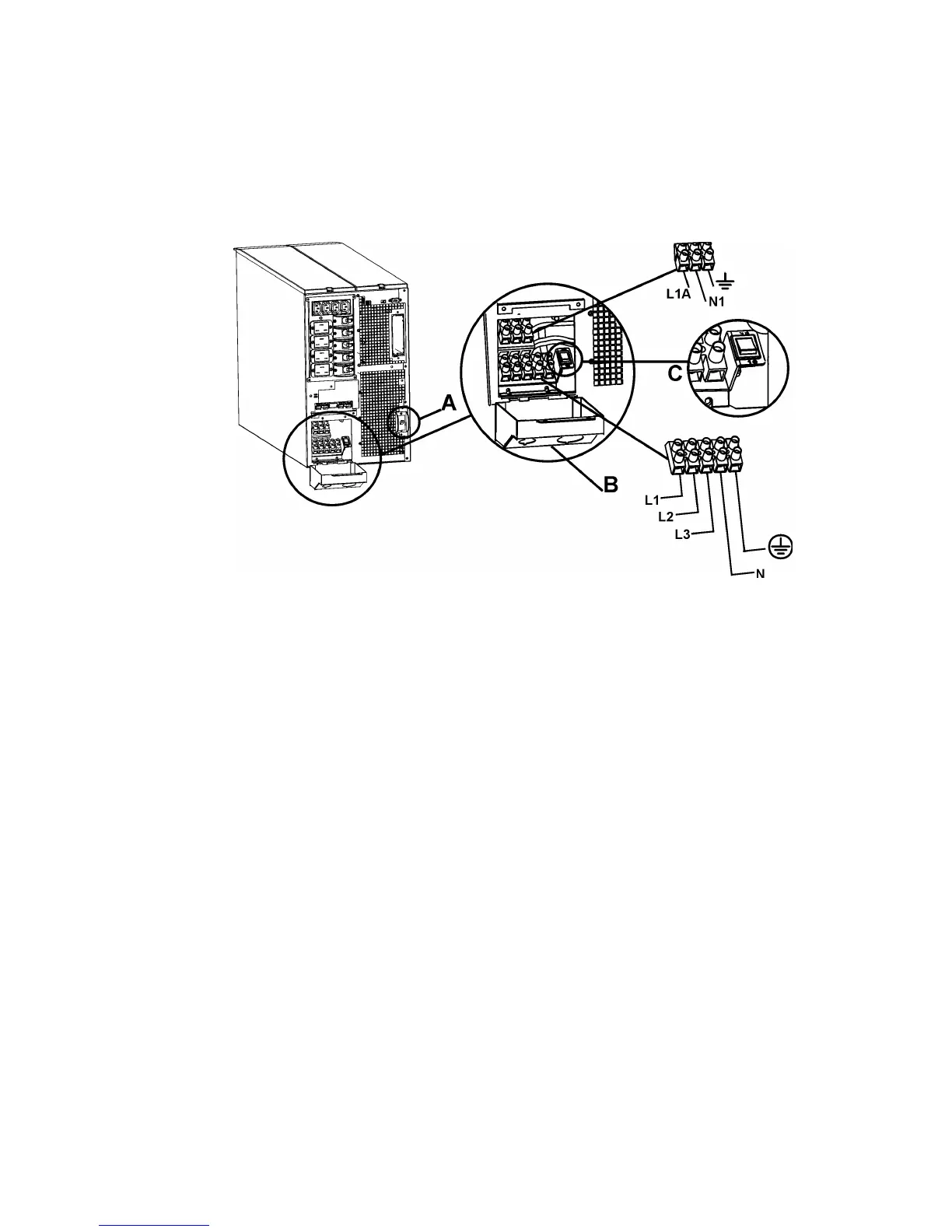
1. Switch the UPS input circuit breaker (see A in diagram) and utility circuit breakers OFF.
2. Remove the input access panel, (see B in diagram).
3. Remove circular knockout.
4. Run appropriate size wire through the access panel, and connect to the terminal block,
(Green: Ground, Brown: Hot, Blue: Neutral). Connect the ground wire first. Use
appropriate strain reliefs, (not included).
5. For three-phase input, set the input phase selector switch, (see C in diagram) to “3”. For
single-phase input, leave the switch in the default position of “1”.
6. Replace the access panel.



 To Next Page