3
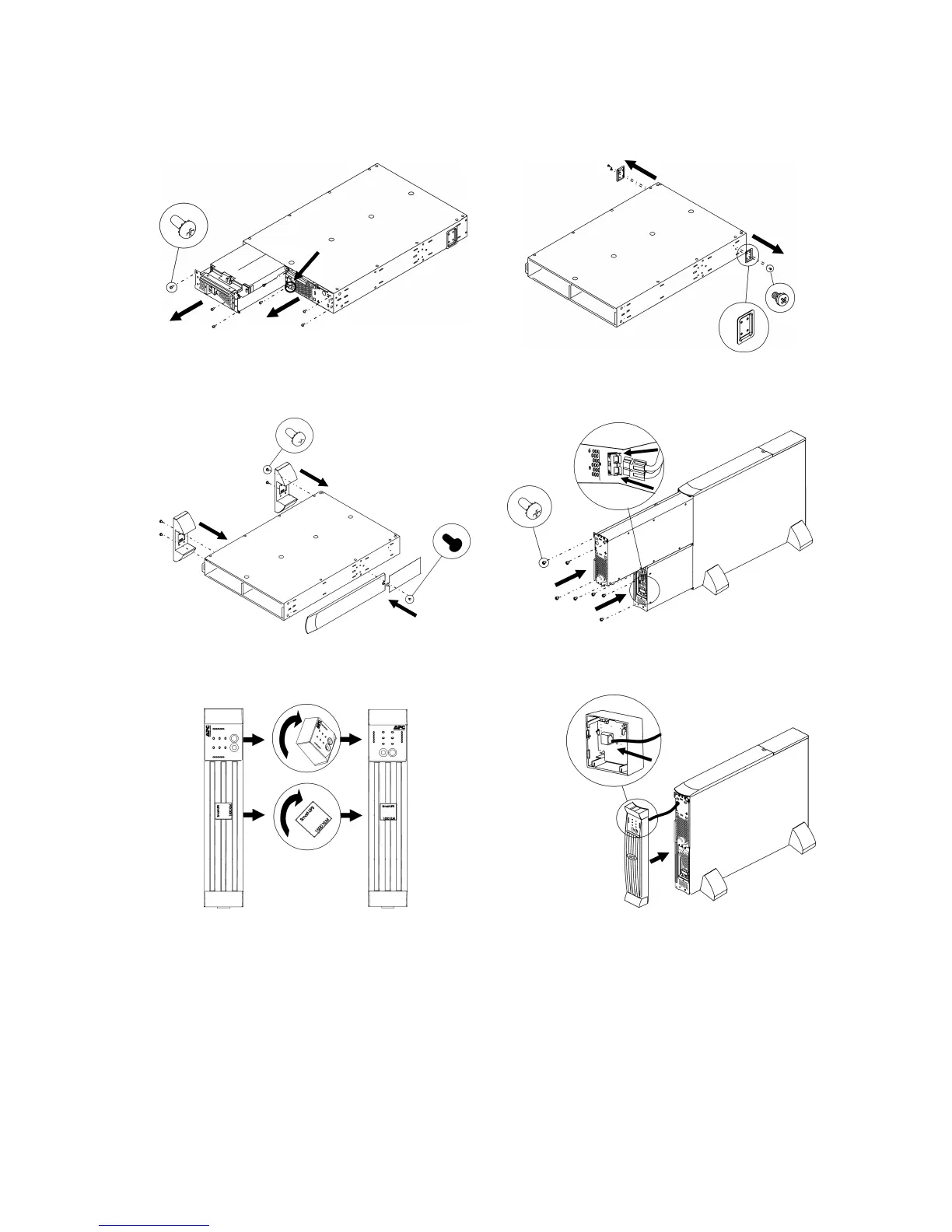
Tower Configuration
Press and hold the black switch (see location
designation on UPS) to the right while removing
the power processing module.
Note: Place the UPS in the final operating loca-
tion prior to module reinstallation.
Snap the display bezel out the rear to begin
rotation.
Rea



 To Next Page