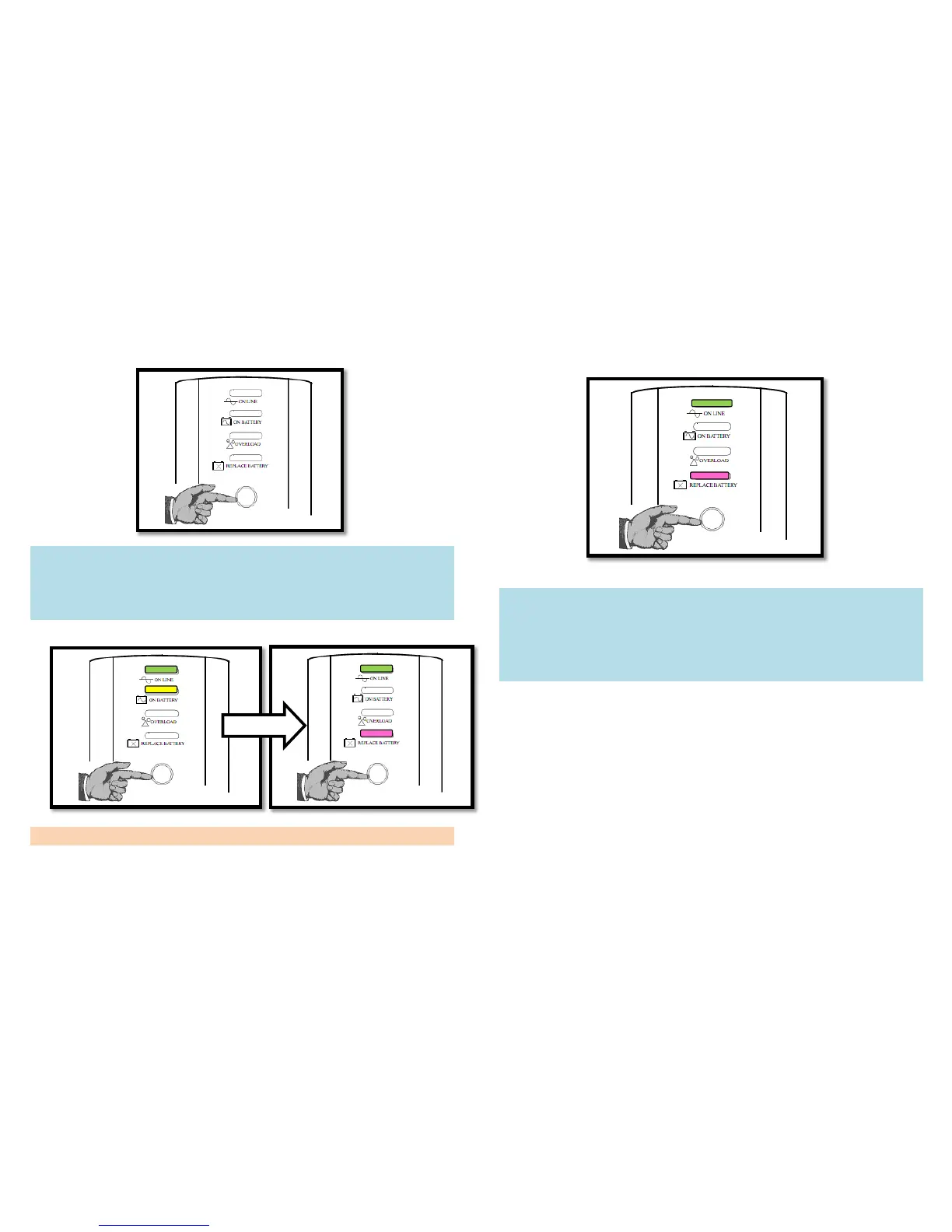
5. Switch on the UPS by pressing the Power Button on the
front panel of the UPS.
Observe that the green On Line Indicator light flashes and the
yellow On Battery light is on. If the internal battery is not
connected, the green On Line Indicator and the pink Replace
Battery Indicator will light. The UPS will beep.
Note: Allow the UPS to charge for eight hours before using.
6. When the electricity goes out, the UPS will supply backup
power from the battery.
Observe that the pink Replace Battery Indicator light will
flash and make a noise to warn that you should save your data
immediately, shut down your computer, and switch off the
UPS to save power in the battery. These actions help to extend
battery life and prevent damage to your computer’s hard disk.
7. When the battery is low, the pink Replace Battery Indicator
will flash and make a noise more frequently. You should shut
down your computer and switch off the UPS immediately.
8. Normally, the battery will be charged all the time when you
plug the UPS into the wall outlet.



 To Previous Page