15
XTX Second Stage Regulator Maintenance Manual
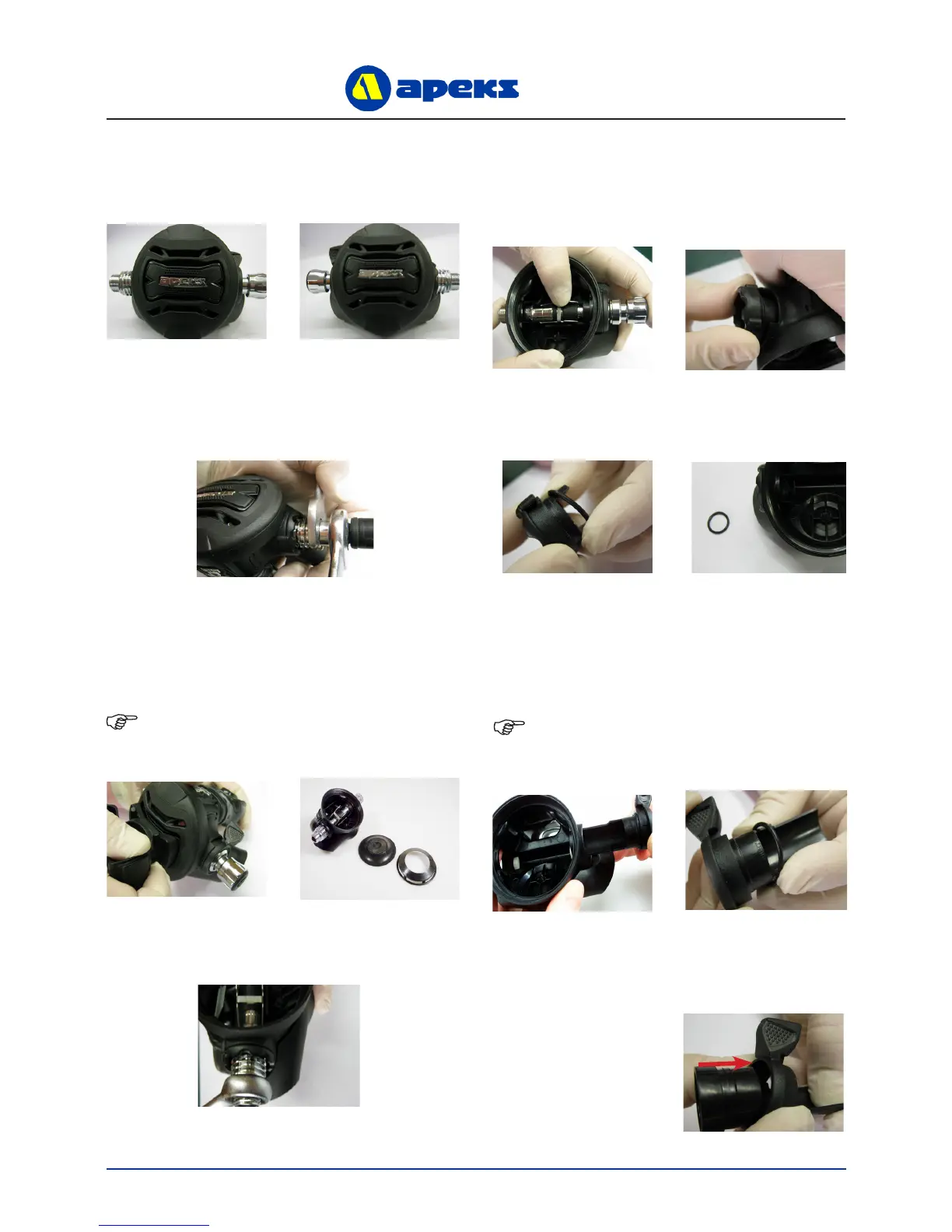
1. Using two 11/16” spanners, hold the Heat Exchanger
(6) stationary while turning the Hose Swivel anti-
clockwise.
CONVERTING THE XTX
REGULATOR TO LEFT HANDED
CONFIGURATION
2. Using the Apeks XTX Tool (PN AT20F), unscrew the
Case Cover (2). Lift out the Diaphragm Cover (3) and
Diaphragm (4).
NOTE: Ensure that the tool is rmly pressed against
the Case Cover whilst unscrewing.
3. Using an 11/16” spanner, remove the Heat Exchanger
(8).
4. Turn the Adjusting Screw (30) anti-clockwise until it
stops. For the XTX40 and XTX20 models use an Allen
key to turn the Adjusting Screw (37). Press the Lever
(20) against the Valve Spindle (18). While keeping the
Lever depressed, grasp the Knob and pull the Valve
Spindle assembly out of the Case (24). Remove the
Blanking Piece (8) from the opposite side of the case.
6. Grasp the Venturi Lever (13 + 14) and pull it out of the
Case. Remove the ‘O’ Ring (11) from the Venturi Lever.
NOTE: The Venturi Lever may have come out with
the valve Spindle in step 4. If this is the case, depress
the Lever and slide the Venturi Lever off from right to
left.
5. Remove the two ‘O’ Rings (9) & (7) from the Blanking
Piece (10).
7. Grasp the Venturi Lever (13 + 14) as shown below
and push the Venturi Ring (13) to separate it from the
Venturi Lever Body (17).
Right Handed Conguration
Left Handed Conguration



 To Next Page