Batte ry Inst allatio n
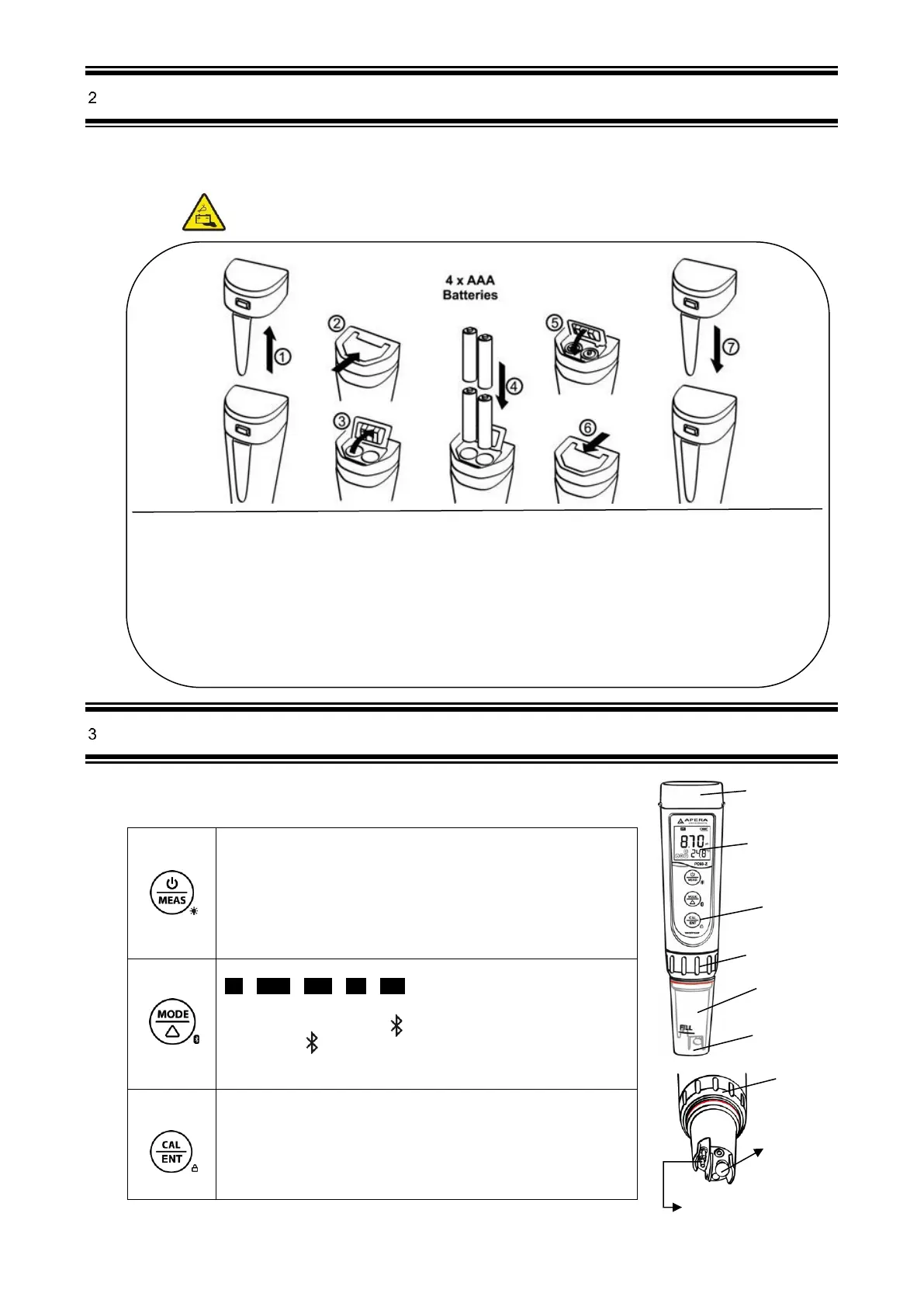
Please install batteries according to the following steps. *Please note direction of batteries: All POSITIVE
SIDES (“+”) FACING UP. (Wrong installation of batteries will cause damage to the tester and potential
hazards)
Keyp ad Funct ions
■ Short press------ < 2 seconds ,Long press------- > 2 seconds
1. When turned off, short press to turn on the tester; long press to
enter parameter setting.
2. In calibration mode or parameter setting, short press to return
to measurement mode.
3. In measurement mode, long press to turn off the tester, short
press to turn on/off backlight.
1.In measurement mode, short press to switch parameter
pH→Cond→TDS→Sal→Res
2.In measurement mode, long press to turn on/off Bluetooth
®
receiver. When turned on, will be flashing; when connected to
smartphone, will stay on.
3.In parameter setting, short press to change parameter (Uni-
directional).
1. Long press to enter calibration mode.
2. In calibration mode, short press to confirm calibration.
3. In measurement mode, when automatic lock is turned off, short
press to manually lock or unlock readings.
① Pull the battery cap up ② Slide the battery cap along to the direction of arrow
③ Open the battery cap
④ Insert the batteries (ALL POSITIVE SIDES FACING UP) (see graph)
⑤ Close the battery cap ⑥ Slide and lock the battery cap along to the direction of arrow
⑦ Fit the tester’s cap while making sure to push all the way down. The tester’s waterproof
design may be compromised if the cap is not fitted correctly.



 To Next Page