EasyManua.ls Logo

Apollo MX20 - Detailed Operation: Chart Functions; IFR Chart Function

Default Icon
35 pages
Print Icon
To Next Page IconTo Next Page
To Previous Page IconTo Previous Page
Loading...
Lightning
Strikes
(LT)
Function
lF
ã
CA
.FFI-
OF
e+
CF
CF
EF
CF
EF
CF
CF
CF
OF
GF
GP
EF
EF
å
CF
J-
J-
J-
J-
J-
e-
Dctailcd
Opcration
Dctailcd Opcration
TRK Up ArclTRK
Up
360
This ring
is marked in nautical
miles from
your airplane
with the ring placed
at one half
the distance
of the
map
scale. For instance if you
have the map
scales at 50
miles,
the ring
will
be at 25 miles.
The ring will
change
automatically as you
change the
map scale. The
Terrain
function
display is
always in the Track
Up mode.
Set Barometer
Use the
Set Barometer
option
to enter the
correct
barometric pressure
for your
area or adjust
the current
value.
Use
the UP/DOWN arrow
keys to
increase
or
decrease the values.
Use
the
LEFT/R¡GHT
arrow keys
to
move
between
characters. Press
the ENTER
key to
save the
displayed
barometric pressure.
A
"Confirm
Current
Baro"
message is
displayed at the
initial power-up
and
again once
every
30 minutes
of
operation
as a reminder
to check your
baro
setting.
TER Data
Flag
The
TER flag will
appear if
no terrain
data is available
for
the advisory
coverage area.
The
Lightning
Strike
mode allows
you
ro
view
lightning
strikes
that are
reported
by
a BF
Goodrich WX500
Stormscope Weather
Mapping
Sensor.
The
"T"
marks are
used
as
reference
marks
to
aid in
locating
strikes in
reference
to your
position.
The Lightning
function
is nor
available
in all
software
versions.
Check your
Approved
Flight
Manual
Supplement
ro verify
if
this feature
is
available.
Your
display range
must
be
selected to
be
greater
than 25
nm
to display
lightning
strikes. The
display
range
is
shown in
the lower
left
corner
of the
display.
For instance,
if you
zoom
In to a range
of 20 nm,
no
strikes will
be shown,
but if
you zoom
Out
to 30 nm
srikes will
be shown.
Lightning
Menu
Option
Page
I
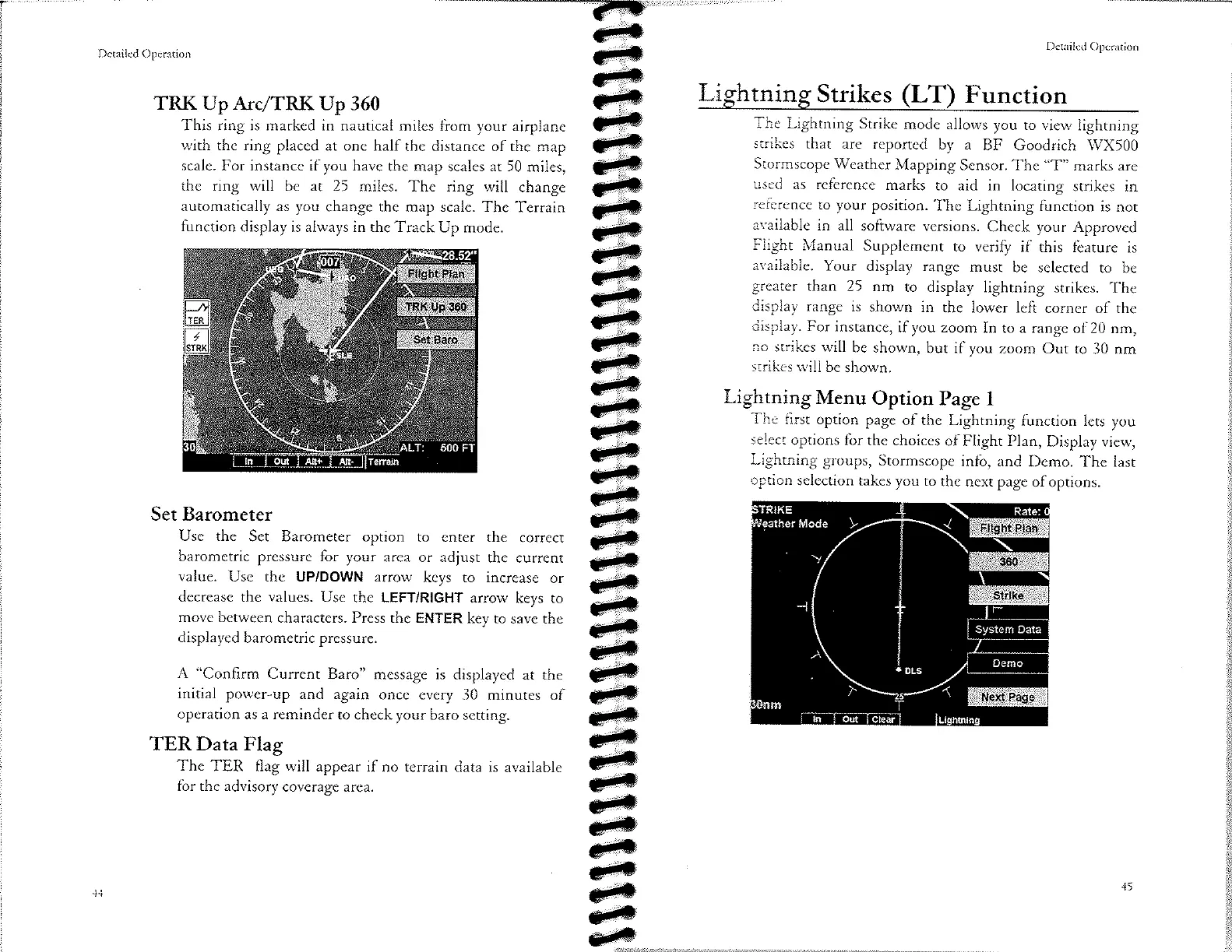
The
first
option page
of the Lightning
function
lets you
select
options
for
the choices
of Flight
Plan,
Display view,
Lightning
groups,
Stormscope
info,
and
Demo. The
last
option
selection
takes you
ro
the next page
of options.

Other manuals for Apollo MX20