28 Chapter 3 iPhoto at a Glance
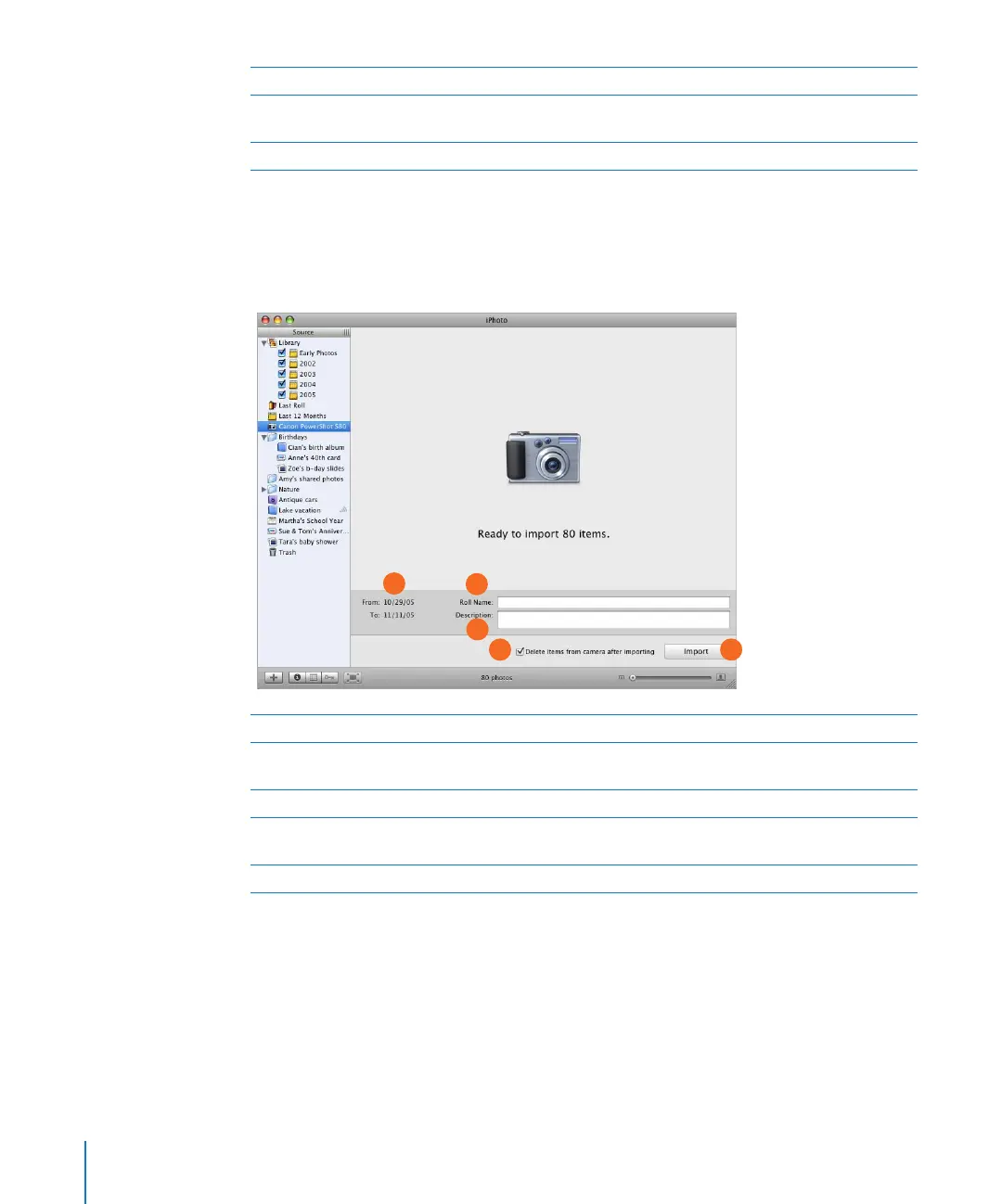
Import View
When you connect your digital camera to your computer using a USB cable, your
camera appears automatically in the iPhoto window.
C Reset button: Click after you’ve finished a search to display all photos again.
D Keyword buttons: Click one or more buttons to display photos that contain those keywords. To
add a keyword to a photo, drag the photo onto a keyword button.
E Keywords button: Click this button to show or hide the Keywords pane.
A Date range: See the dates when the first and last photos on your camera were taken.
B Roll Name: Type a name for the group of photos you’re transferring from your camera into
iPhoto.
C Description: Add a description for the group of photos you’re importing.
D “Delete items” checkbox: Select to delete photos from your camera as soon as they are
imported.
E Import button: Click to transfer photos from your camera to the iPhoto library.
A
C
B
E
D



 To Next Page