26 Chapter 3
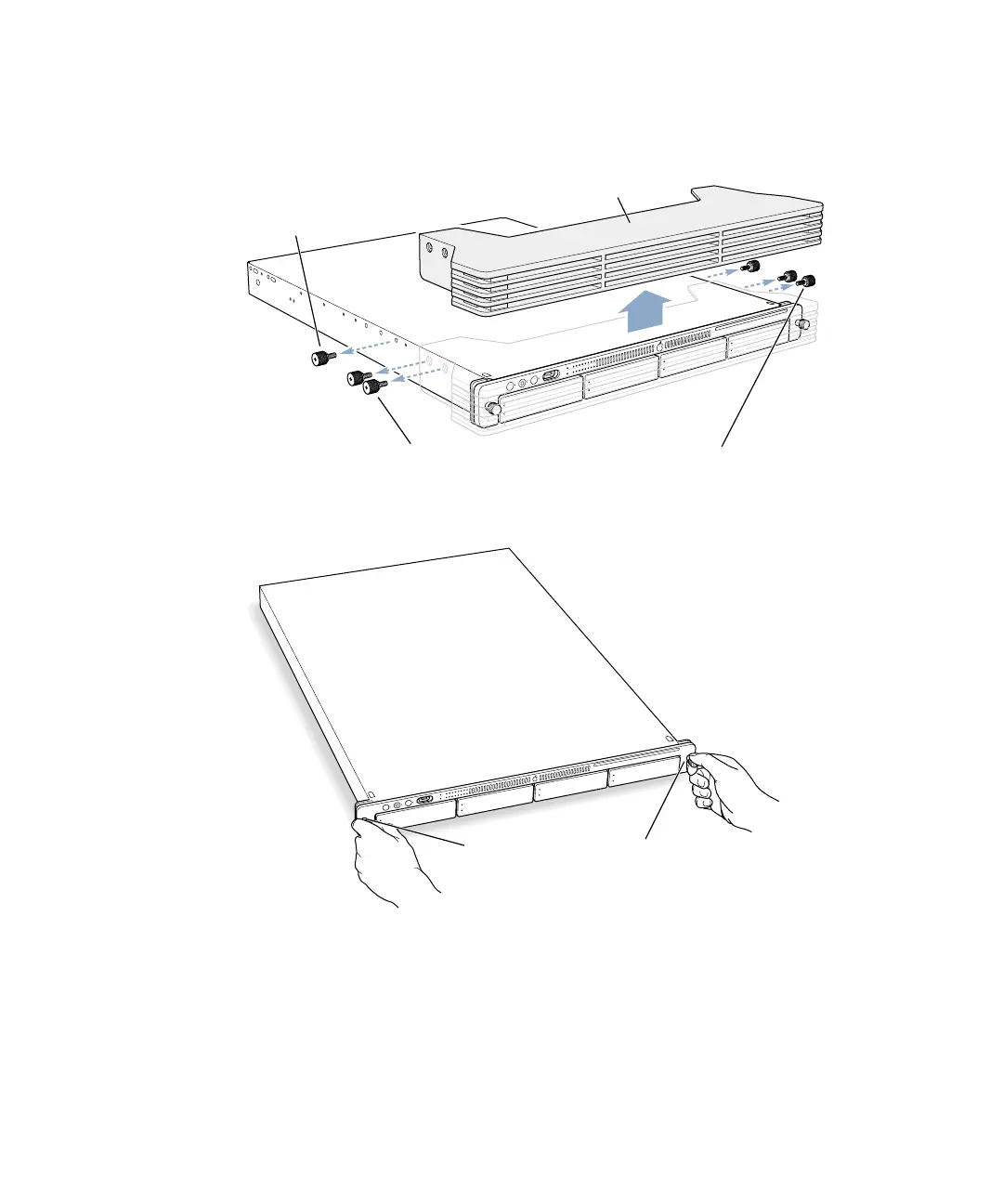
3 Remove the protective faceplate from the server’s front panel by unscrewing the
thumbscrews at each side of the faceplate and lifting it off.
Set the thumbscrews aside.
4 Loosen the two thumbscrews (one on each side) at the front of the server’s enclosure.
These thumbscrews are “captive” and do not separate from the enclosure.
Protective faceplateRemove the two shipping screws.
There is one screw on either
side of the server.
Remove the four thumbscrews that hold the protective faceplate
in place, and remove the faceplate by lifting it straight up.
With the server resting on a flat, clean,
and stable surface, unscrew the two
thumbscrews on the front panel.



 To Next Page