Installing Your Server in a Rack 47
Installing the Server in a Two-Post (Telco) Rack
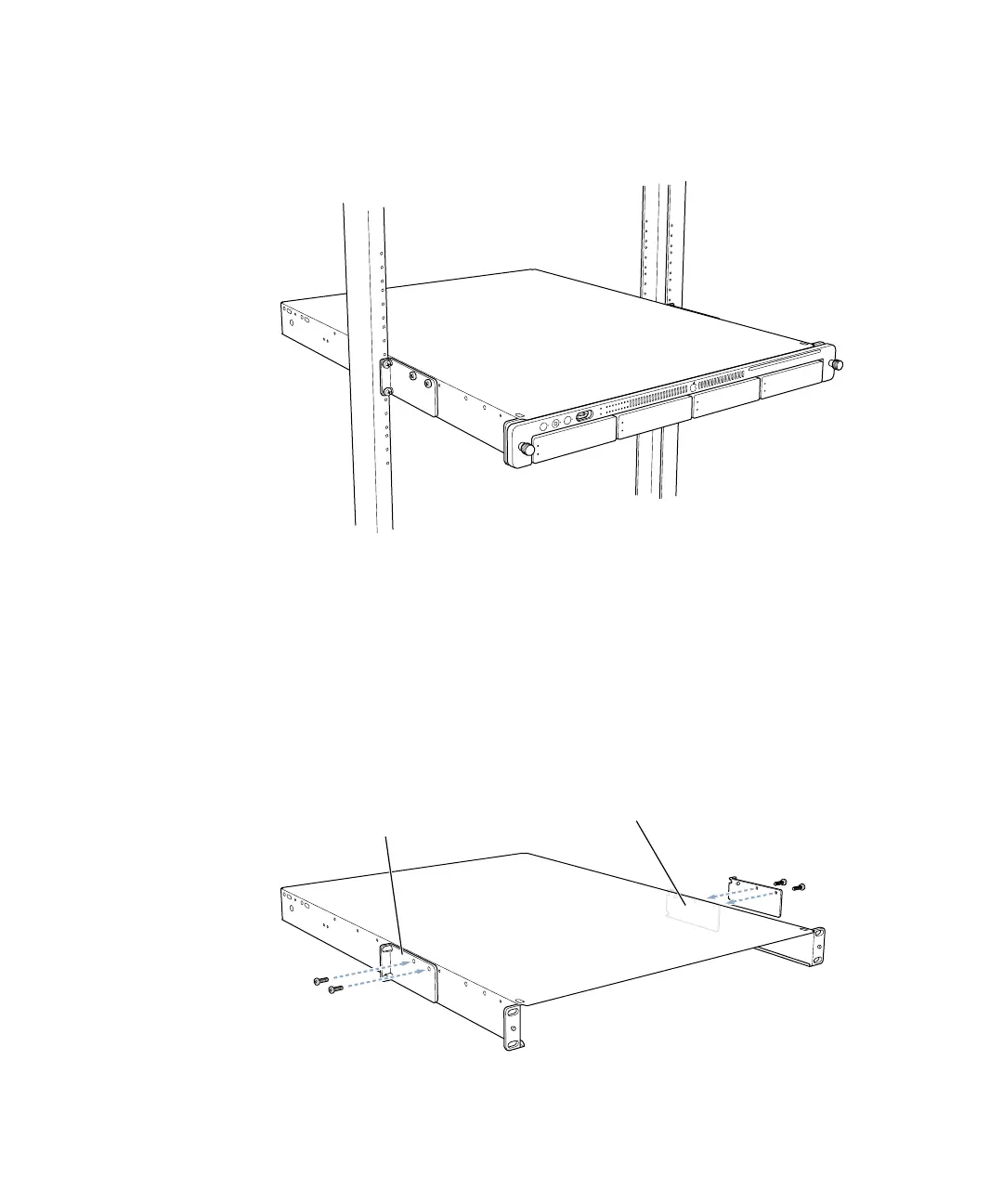
The server attaches to a two-post rack at the center of the enclosure, so that the front and
back of the server extend beyond the rack.
Follow these steps to install the server in a two-post rack. (These instructions assume that
you have previously taken the cover off the server; see “Preparing the Server for Installation”
on page 25 for details.)
1 Attach the small L-shaped brackets to the sides of the server enclosure’s cover with four of
the short screws provided.
Important Before installing the server in a two-post rack, make certain that the rack is
securely fastened to the floor. Also check the rack’s documentation for any specific
installation instructions.
Attach the two telco mounting brackets to the server’s cover
using four of the short screws provided.



 To Next Page