28 Chapter 3
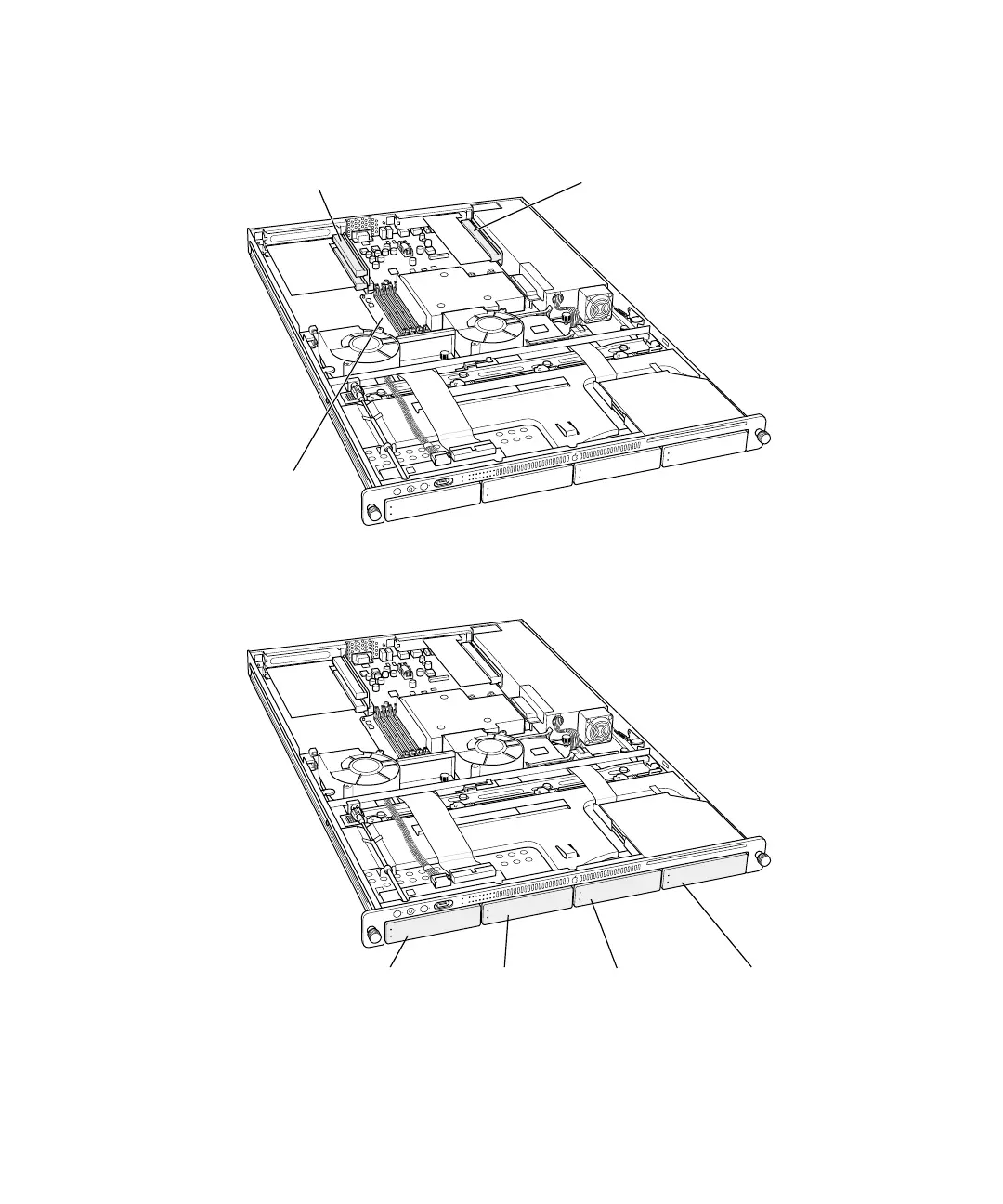
7 If necessary, install any optional internal components, such as additional memory or a PCI
card, in the server. Follow the appropriate instructions in Chapter 5, “Installing or Replacing
Server Components,” on page 57.
8 If necessary, install any additional Apple Drive Modules in the front panel of the server.
Follow the instructions in “Installing or Replacing an Apple Drive Module” on page 59.
RAM slots (4)
PCI card slots (2) PCI/AGP card slot
Drive module bay 1 Drive module bay 2 Drive module bay 3 Drive module bay 4
p
Important When installing a drive module for the first time, remove the blank drive
module and save it for possible future use. A blank module should always be placed in an
empty drive bay to maintain proper airflow through the server.



 To Next Page