GETTING STARTED
RTP-3280 Thermal Receipt Printer 9
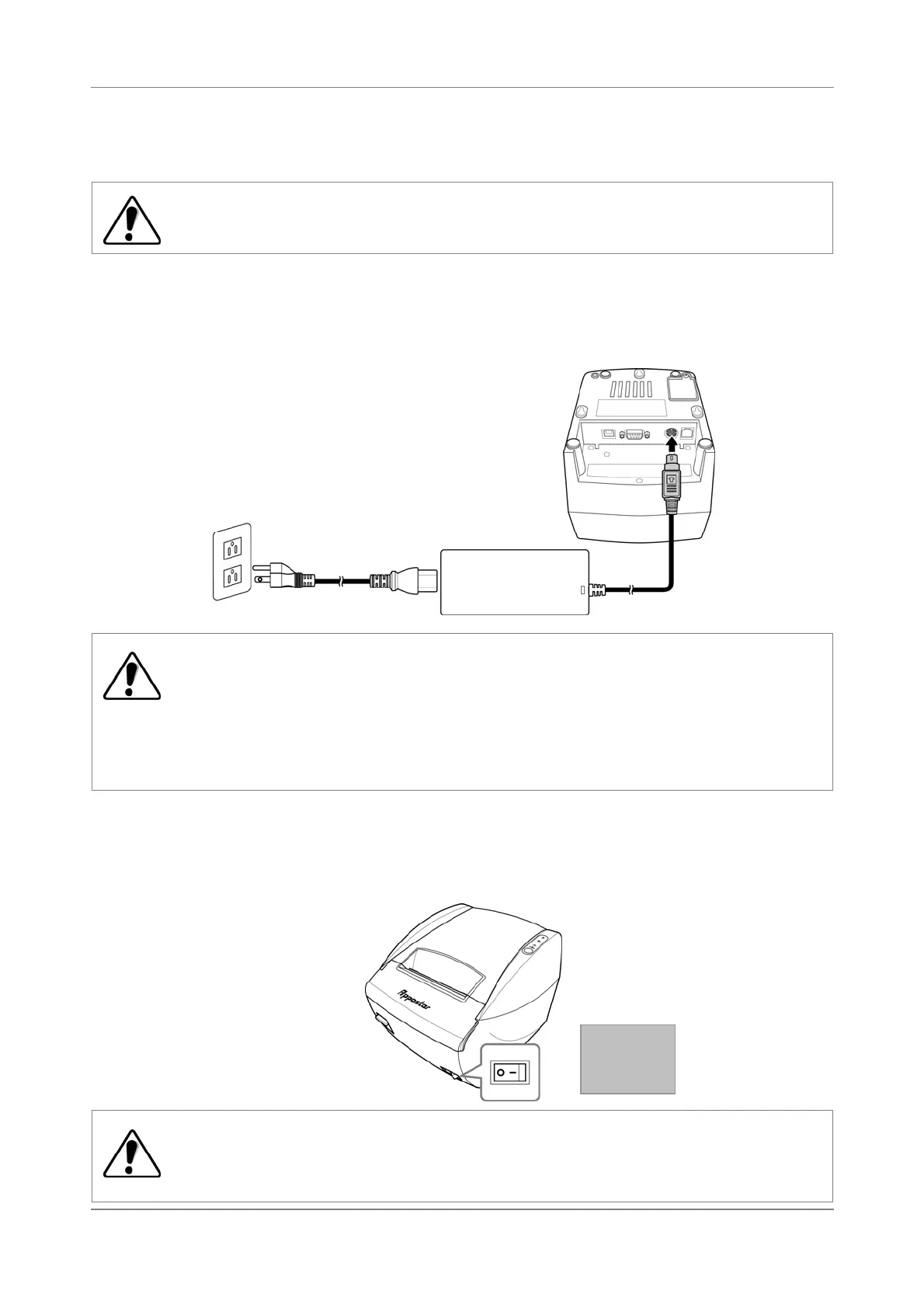
2.4 Connecting the Power Supply
WARNING:
Before connecting the power, ensure that the Power button is off.
1. Plug the power adapter to the power connector of your printer.
2. Connect the power adapter to the power cord.
3. Plug the power cord to a wall outlet.
WARNING:
May cause electric shock!
When the power cord is plugged to a wall outlet, DO NOT unplug the power
adapter from the printer or the power cord.
To disconnect the power cord, grasp and pull by the plug head, DO NOT tug
on the cord.
2.5 Turning the Printer On
Press the Power button to turn the printer on/off.
WARNING:
DO NOT turn off the power while printing data. This may cause data loss or damage
the printer.
O Off
On


 To Next Page