EPSON ESC/POS COMMANDS
RTP-3280 Thermal Receipt Printer 13
3.3 Adjusting the Paper Sensor
NOTE:
You need a screw driver or a coin to adjust the paper sensor.
The built-in paper sensor detects if the paper roll is near its end and triggers the
Paper LED to light up.
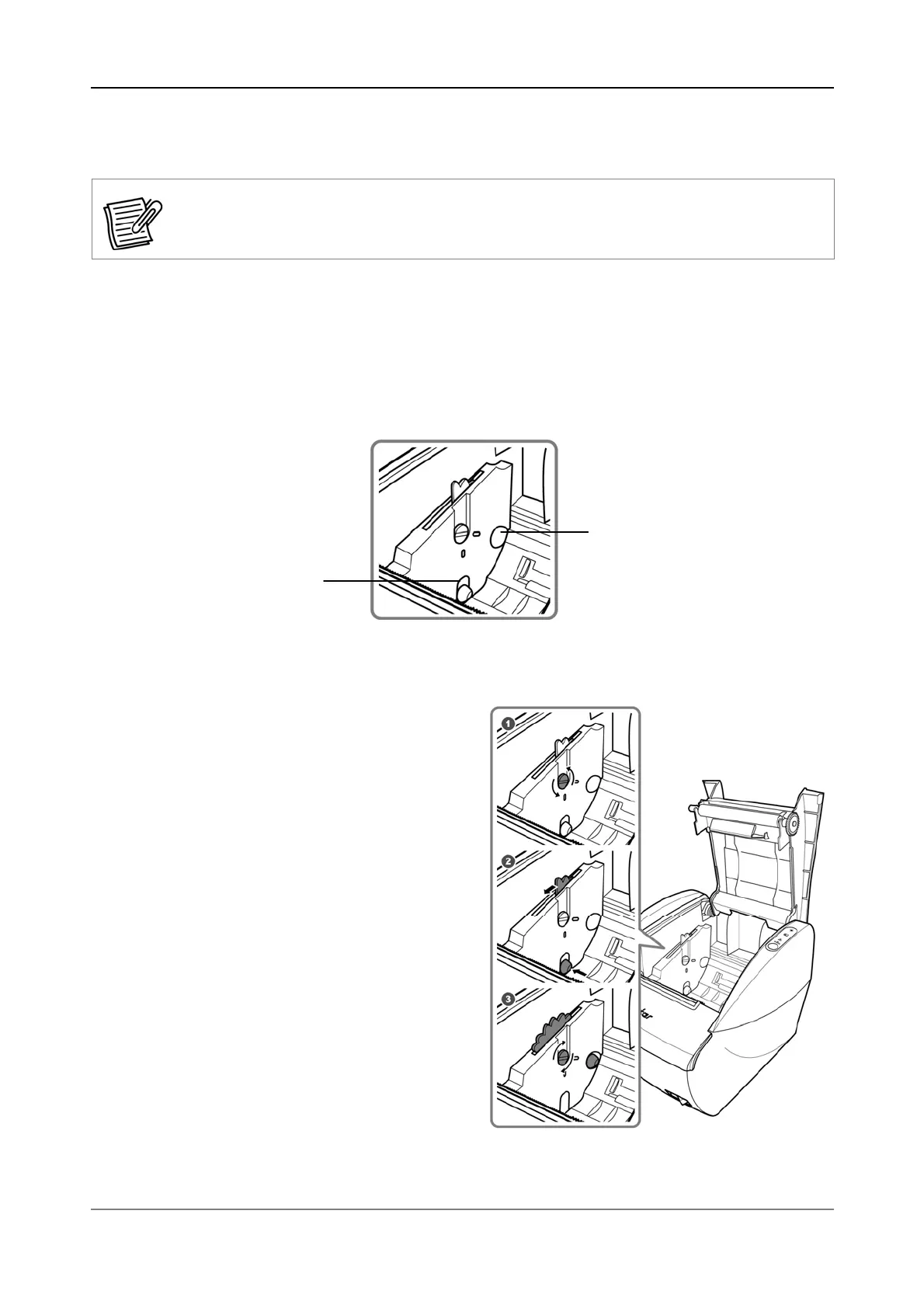
It has two adjustment settings:
Down: Use if the printer is placed on a flat surface, such as a counter-top.
Up: Use if the printer is mounted on a wall.
By default, the paper sensor is set to its “down” position.
To adjust the paper sensor, do the following:
1. Loosen the adjustment screw
using a coin or screw driver.
2. Move the knob to adjust the
sensor.
3. Secure the adjustment screw to
fix the sensor.
Up
Down


 To Next Page