TROUBLESHOOTING
RTP-3280 Thermal Receipt Printer 51
Chapter 7: Troubleshooting
The printer is simple and generally trouble-free. However, if you encounter problems
while using the printer, check the reasons and solutions to these problems before
calling for service. If the solutions stated in this document cannot correct the problem,
call authorized service personnel.
7.1 Status LED and Printer Beep
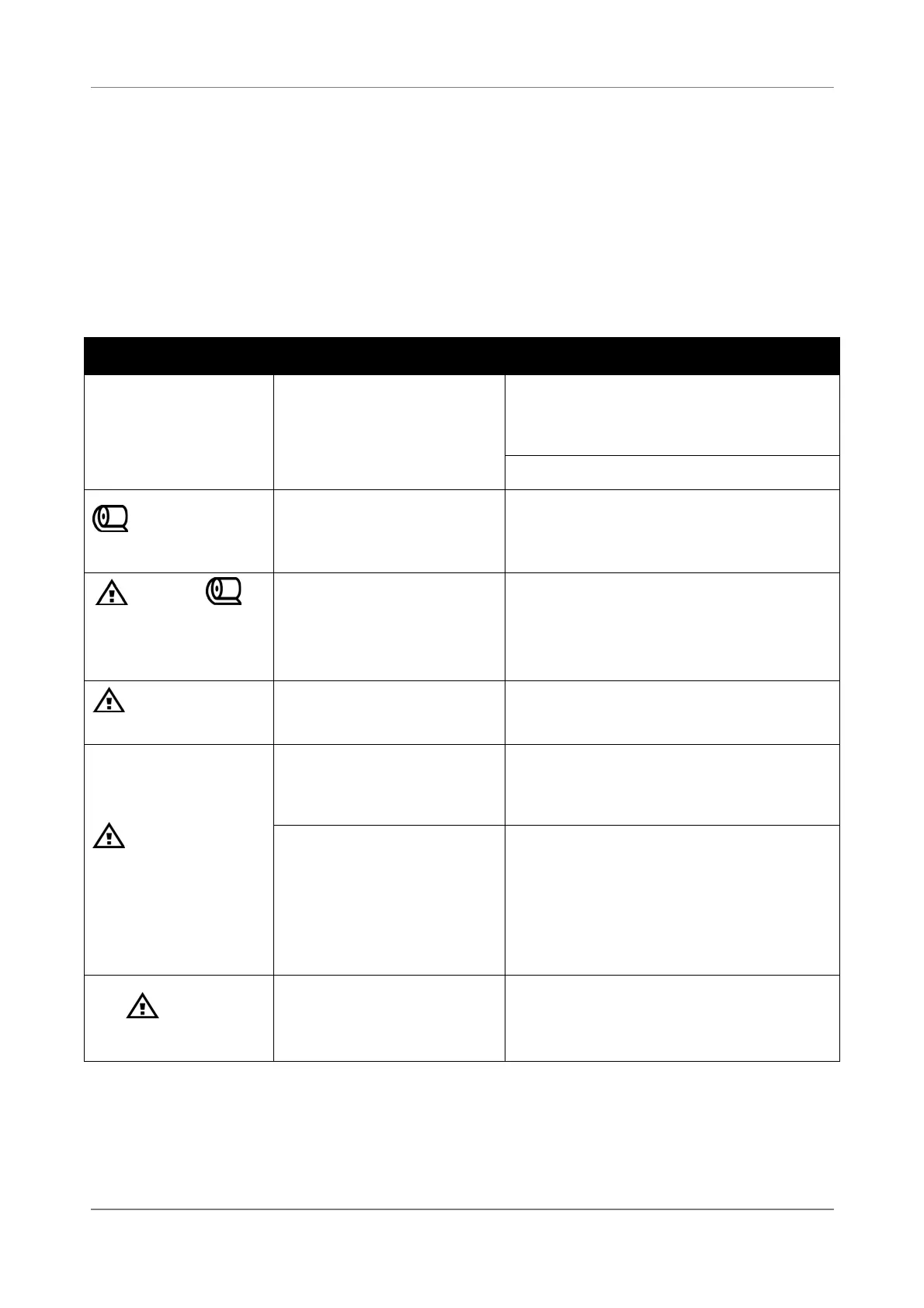
Problem Possible Cause Solution
All the status LEDs
are off.
The printer is turned
off.
Check if the power cord is
connected to the wall outlet and
the printer.
Turn the printer on.
LED remains
yellow.
Paper is near end. Load a new paper roll.
See “3.2 Replacing the Paper Roll”
on page 12.
LED and
LED remain yellow
and red, the printer
beeps.
Paper ends. Load a new paper roll.
See “3.2 Replacing the Paper Roll”
on page 12.
LED remains
red.
The compartment
cover is opened.
Close the compartment cover.
LED is rapid
flashing and the
printer beeps.
The compartment
cover opened while
printing.
Close the compartment cover. The
printer will recover automatically
and resume printing.
The print head
temperature is too
high.
Do not do anything. Let the
printer cool down for a few
minutes. When the print head
cools down, the printer will
recover automatically and resume
printing.
The LED is
flashing
Paper is jammed. Remove the jammed paper.
See “3.4 Paper Jam Elimination”
on page 14.


 To Next Page