13
1
2
3
5
6
7
8
4
Overview
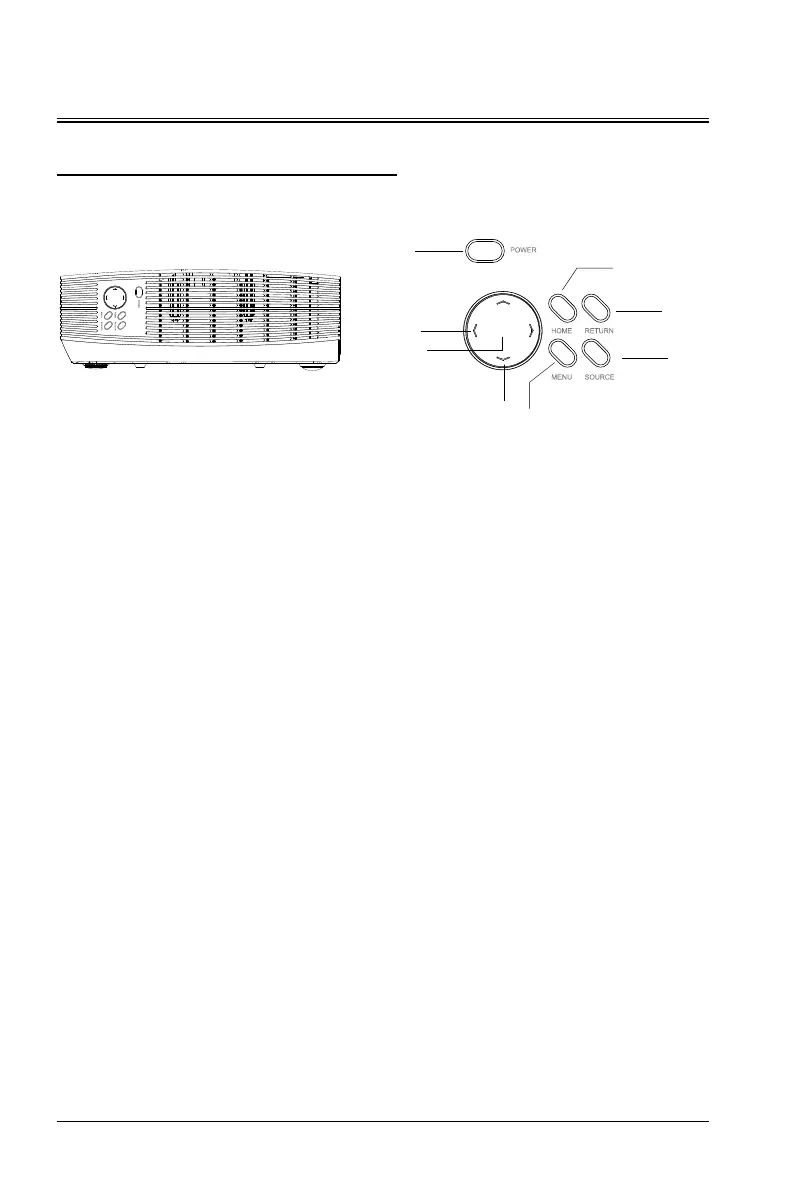
Control Device and Functions
1. Power key (power-on/off)
Press the key to power on the device. In the power-on state, press the key twice to power off the
device.
2. Arrow keys (
∧
up,
∨
down)
When the user menu is displayed, you can select the desired menu item.
3. Volume key/arrow keys (< left, > right)
Select items left and right using "<" or ">". Adjust volume using "<" or ">".
4. OK
Select/confirm the current value or item.
5. Home
Press this key to return to the home page.
6. Return
Press this key to return to the previous layer.
7. Source
Switch to select different signal sources.
8. Menu key
Opens the OSD menu, exits and saves the menu settings.


 To Next Page