16
+
-
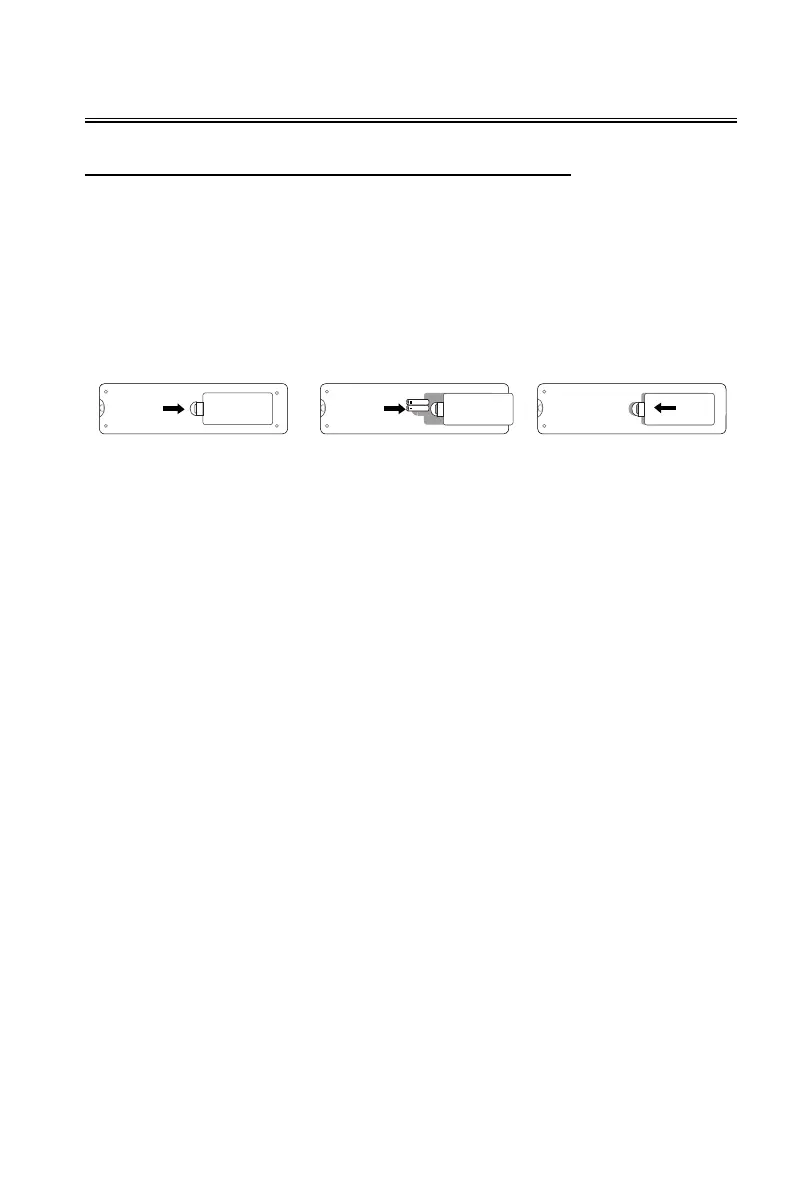
To open the battery cover, turn the remote control with the back facing up, and pull the battery cover as
indicated by the arrowhead in the figure to remove the battery cover.
Remove the old battery (if necessary) and install the two AAA batteries at the bottom of the battery
compartment. The anode of the battery is towards the (+) direction, and the cathode is towards the (-)
direction.
Reattach the battery cover as indicated by the arrowhead in the figure.
Overview
Replacing the Battery of the Remote Control


 To Next Page