Need help?
Do you have a question about the Aprilaire E080 and is the answer not in the manual?
Covers essential safety warnings and cautions for operating the dehumidifier.
Step-by-step guide for cleaning the air filter to maintain performance.
Instructions for cleaning the condensate drain pan and insert.
Procedures for installing a condensate pan under the unit.
How to connect the dehumidifier to the HVAC system for integrated operation.
Guide for connecting external controls like thermostats or humidistats.
Operating the unit using its onboard control panel.
Operating the unit via the AprilAire Model 76 remote control.
Operating the unit through a separate external control device.
Lists error codes, failure modes, actions, and reset procedures.
Guide to resolving common operational problems and symptoms.
 General
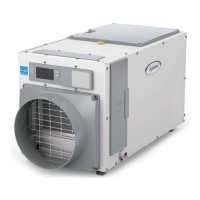
| Brand | Aprilaire |
|---|---|
| Model | E080 |
| Type | Dehumidifier |
| Capacity | 80 Pints Per Day |
| Energy Star Certified | Yes |
| Control Type | Digital |
| Voltage | 115V |
| CFM | 200 CFM |
| Refrigerant | R-410A |
| Airflow | 200 CFM |
| Coverage Area | Up to 4, 400 sq ft |
| Drainage | Gravity Drain or Optional Condensate Pump |
| Power Supply | Corded Electric |

 To Next Page